
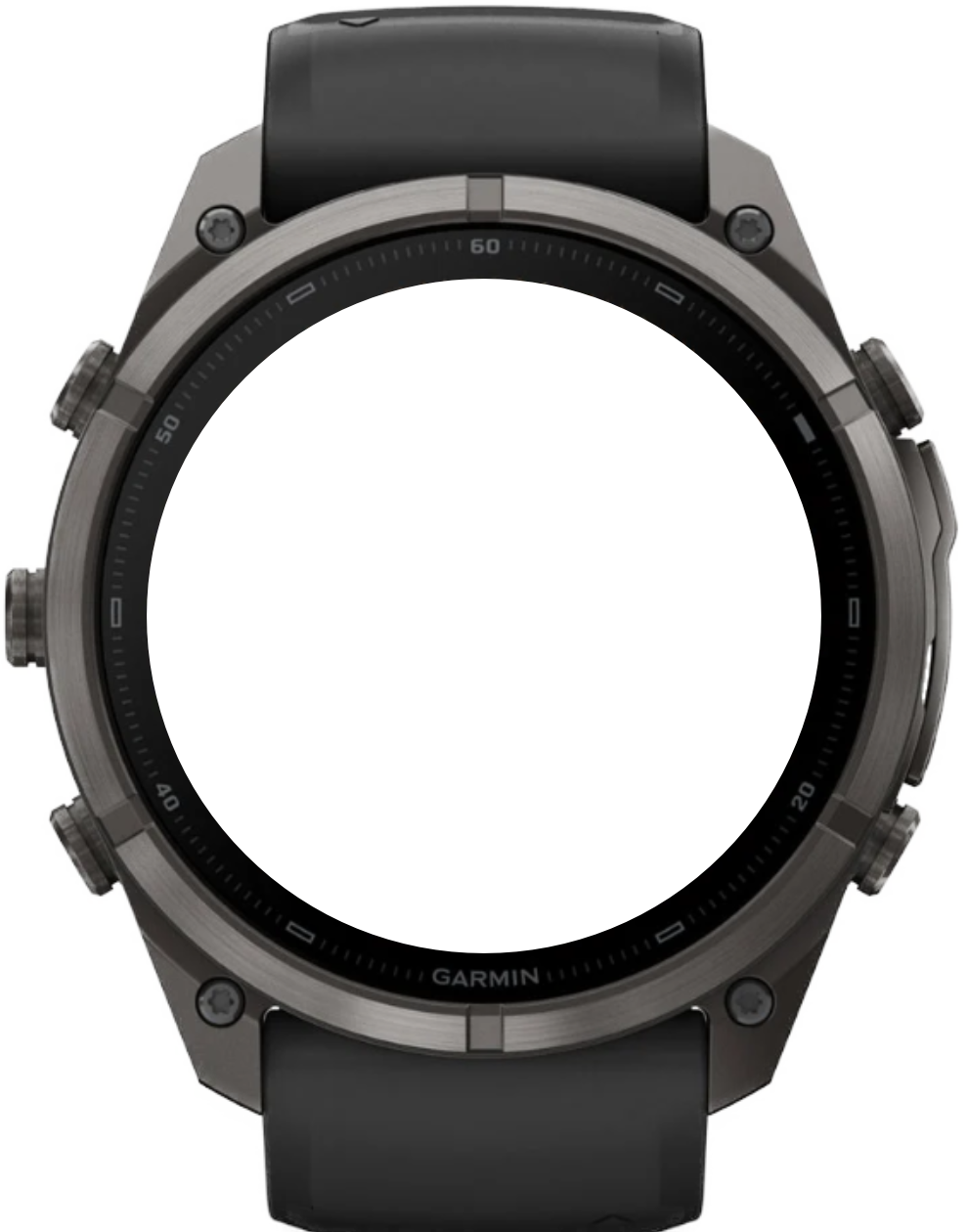
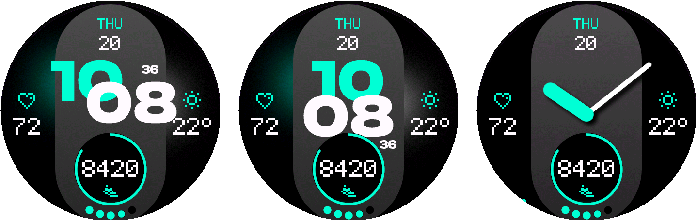
Digital, centered digital, or analog time with 18 accent colors.
← All watch faces
Watch face for Garmin
NXT.01 LITE
Modernist
A clean and modern watch face.
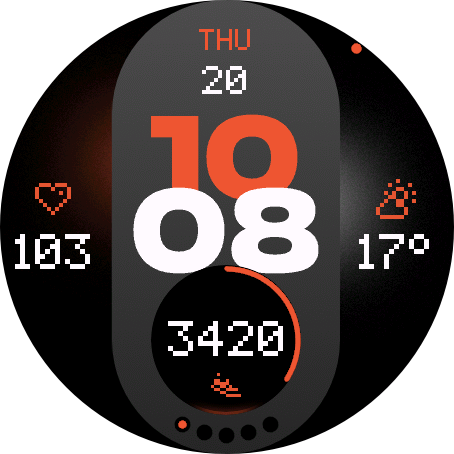
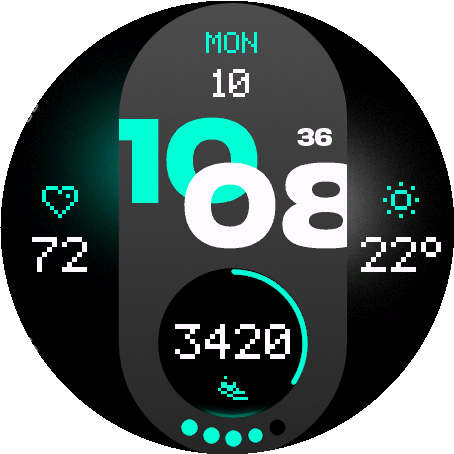
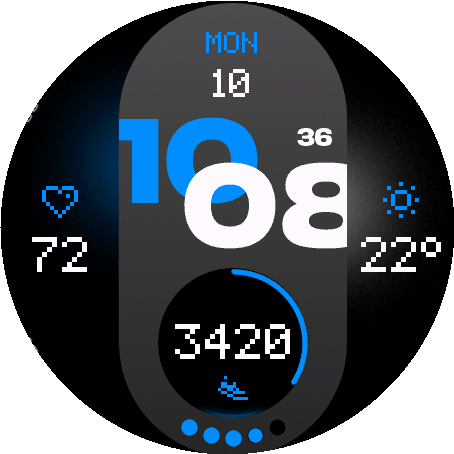
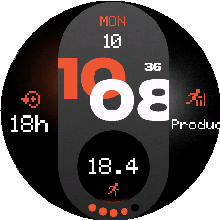
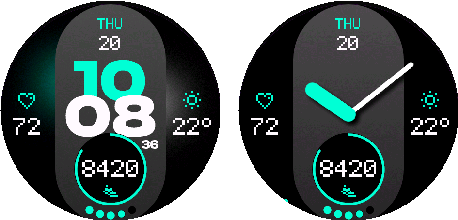
A streamlined modernist watch face with digital, centered digital, and analog styles, a fixed date, three configurable data fields, automatic touch shortcuts, and dedicated AMOLED and MIP support.
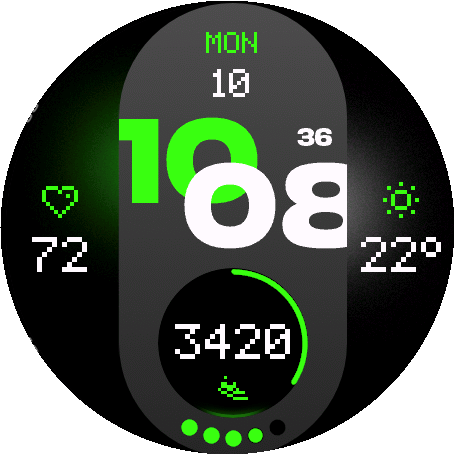
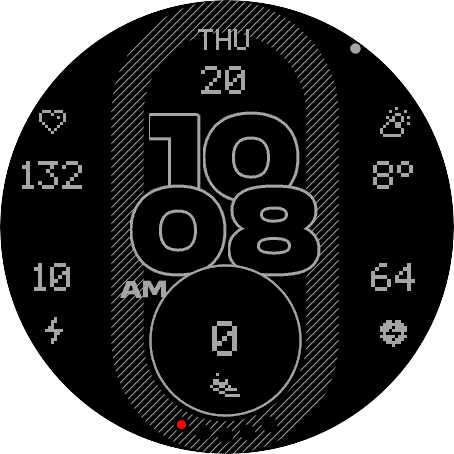
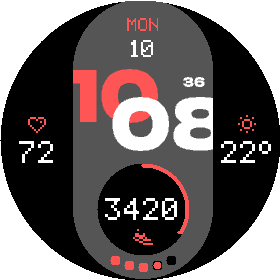
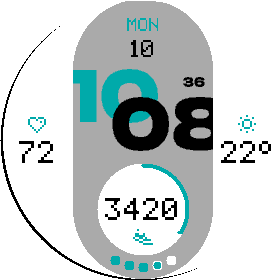
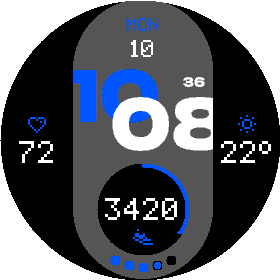
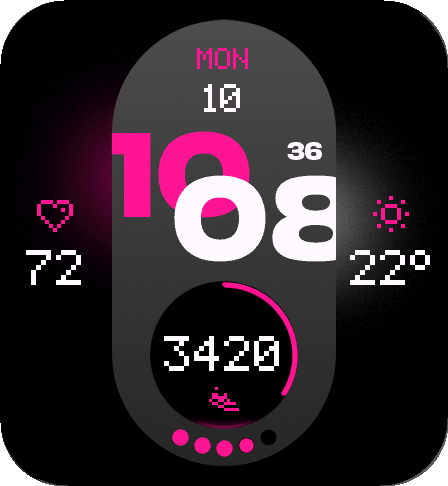
Supported devices80
 Approach® S70 42mmAMOLED · 390 × 390
 Approach® S70 47mmAMOLED · 454 × 454
 D2™ Air X15AMOLED · 454 × 454
 D2™ Mach 1AMOLED · 416 × 416
 D2™ Mach 1 ProAMOLED · 454 × 454
 D2™ Mach 2AMOLED · 454 × 454
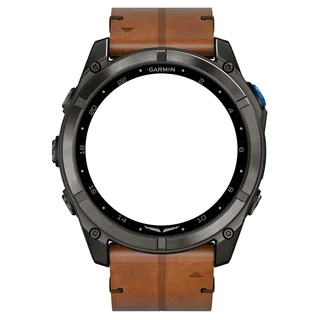 D2™ Mach 2 ProAMOLED · 454 × 454
 Descent™ Mk3 43mmAMOLED · 390 × 390Descent™ Mk3i 43mmAMOLED · 390 × 390
 Descent™ Mk3i 51mmAMOLED · 454 × 454
 Enduro™ 2Memory-in-pixel · 280 × 280
 Enduro™ 3Memory-in-pixel · 280 × 280
 epix™ (Gen 2)AMOLED · 416 × 416
 epix™ Pro (Gen 2) 42mmAMOLED · 390 × 390
 epix™ Pro (Gen 2) 47mmAMOLED · 416 × 416epix™ Pro (Gen 2) 51mmAMOLED · 454 × 454
 fēnix® 7Memory-in-pixel · 260 × 260
 fēnix® 7 ProMemory-in-pixel · 260 × 260
 fēnix® 7 Pro - Solar Edition (no Wi-Fi)Memory-in-pixel · 260 × 260
 fēnix® 7SMemory-in-pixel · 240 × 240
 fēnix® 7S ProMemory-in-pixel · 240 × 240fēnix® 7XMemory-in-pixel · 280 × 280
 fēnix® 7X ProMemory-in-pixel · 280 × 280
 fēnix® 7X Pro - Solar Edition (no Wi-Fi)Memory-in-pixel · 280 × 280
 fēnix® 8 43mmAMOLED · 416 × 416
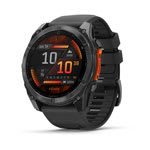 fēnix® 8 47mmAMOLED · 454 × 454fēnix® 8 51mmAMOLED · 454 × 454
 fēnix® 8 Pro 47mmAMOLED · 454 × 454fēnix® 8 Pro 51mmAMOLED · 454 × 454fēnix® 8 Pro MicroLEDAMOLED · 454 × 454
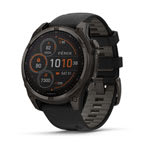 fēnix® 8 Solar 47mmMemory-in-pixel · 260 × 260
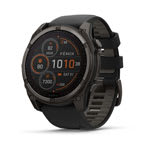 fēnix® 8 Solar 51mmMemory-in-pixel · 280 × 280
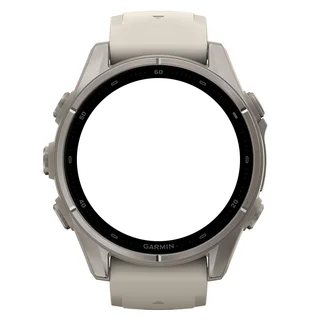 fēnix® 9 43mmAMOLED · 416 × 416
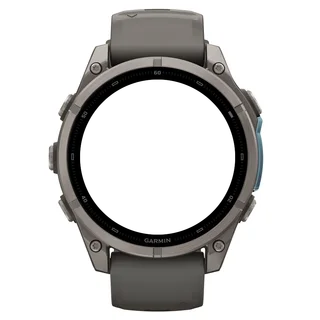 fēnix® 9 47mmAMOLED · 454 × 454fēnix® 9 51mmAMOLED · 454 × 454
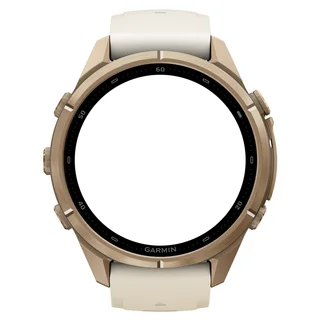 fēnix® 9 Pro 43mmAMOLED · 416 × 416
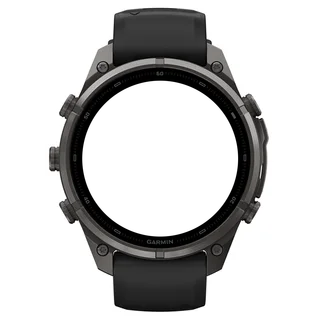 fēnix® 9 Pro 47mmAMOLED · 454 × 454
 fēnix® 9 Pro 51mmAMOLED · 466 × 466
 fēnix® 9 Pro Solar 47mmMemory-in-pixel · 260 × 260
 fēnix® 9 Pro Solar 51mmMemory-in-pixel · 280 × 280
 fēnix® EAMOLED · 416 × 416
 Forerunner® 170AMOLED · 390 × 390
 Forerunner® 170 MusicAMOLED · 390 × 390
 Forerunner® 255Memory-in-pixel · 260 × 260
 Forerunner® 255 MusicMemory-in-pixel · 260 × 260
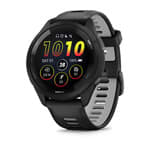 Forerunner® 265AMOLED · 416 × 416
 Forerunner® 570 42mmAMOLED · 390 × 390
 Forerunner® 570 47mmAMOLED · 454 × 454
 Forerunner® 955Memory-in-pixel · 260 × 260Forerunner® 955 SolarMemory-in-pixel · 260 × 260
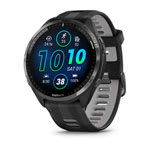 Forerunner® 965AMOLED · 454 × 454
 Forerunner® 970AMOLED · 454 × 454
 Instinct® 3 AMOLED 45mmAMOLED · 390 × 390
 Instinct® 3 AMOLED 50mmAMOLED · 416 × 416
 MARQ® (Gen 2) AdventurerAMOLED · 390 × 390MARQ® (Gen 2) AthleteAMOLED · 390 × 390
 MARQ® (Gen 2) AviatorAMOLED · 390 × 390MARQ® (Gen 2) CaptainAMOLED · 390 × 390MARQ® (Gen 2) Carbon EditionAMOLED · 390 × 390MARQ® (Gen 2) Commander – Carbon EditionAMOLED · 390 × 390MARQ® (Gen 2) GolferAMOLED · 390 × 390quatix® 7Memory-in-pixel · 260 × 260quatix® 7 ProAMOLED · 416 × 416quatix® 7 SapphireAMOLED · 416 × 416quatix® 7X SolarMemory-in-pixel · 280 × 280quatix® 8 47mmAMOLED · 454 × 454quatix® 8 51mmAMOLED · 454 × 454quatix® 8 Pro 47mmAMOLED · 454 × 454quatix® 8 Pro 51mmAMOLED · 454 × 454tactix® 7Memory-in-pixel · 280 × 280tactix® 7 – AMOLED EditionAMOLED · 454 × 454tactix® 8 47mmAMOLED · 454 × 454tactix® 8 51mmAMOLED · 454 × 454tactix® 8 Solar 51mmMemory-in-pixel · 280 × 280
 Venu® 3AMOLED · 454 × 454
 Venu® 3SAMOLED · 390 × 390
 Venu® 4 41mmAMOLED · 390 × 390Venu® 4 45mmAMOLED · 454 × 454
 Venu® X1AMOLED · 448 × 486
 vívoactive® 6AMOLED · 390 × 390
36 data types in left, right, and bottom fields.
Monochrome or accent AOD, selectable seconds, battery saver, and automatic touch launch.
User guide
Make it yours
Choose where you want to configure the watch face, then jump directly to any setting.
On the watch
Appearance
Choose the time style and color treatment.
1.1
Style and Hand Shadow
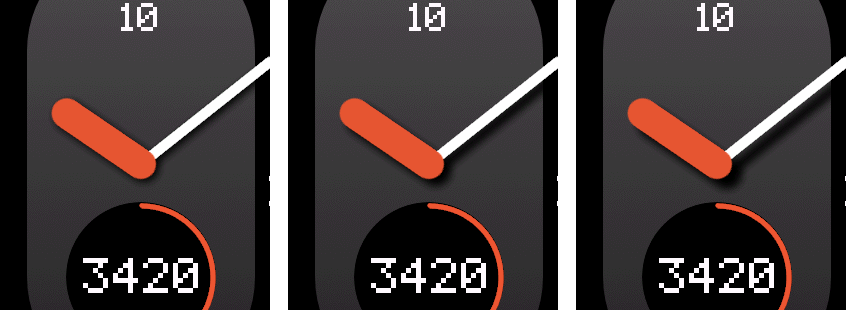
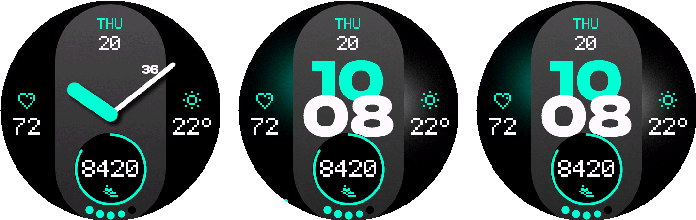
Choose Digital, Digital Centered, or Analog. Analog hands offer three shadow offsets.
1.2
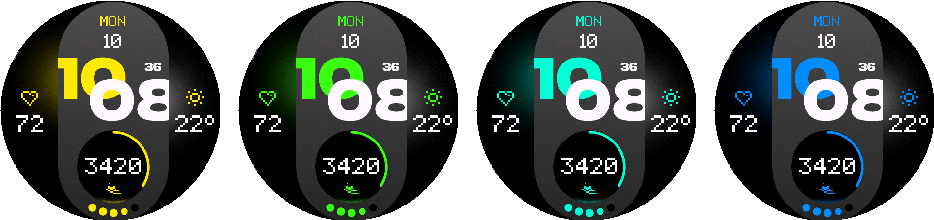
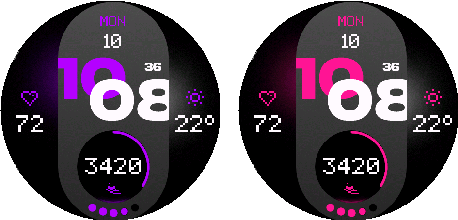
Accent Color
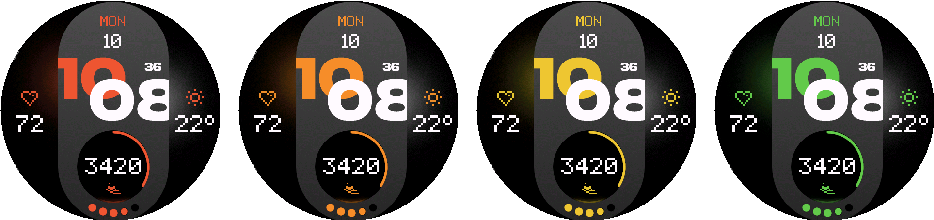
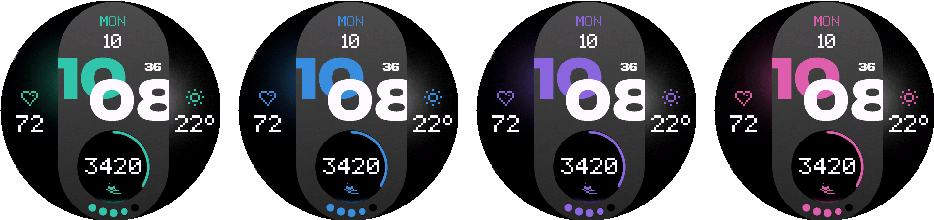
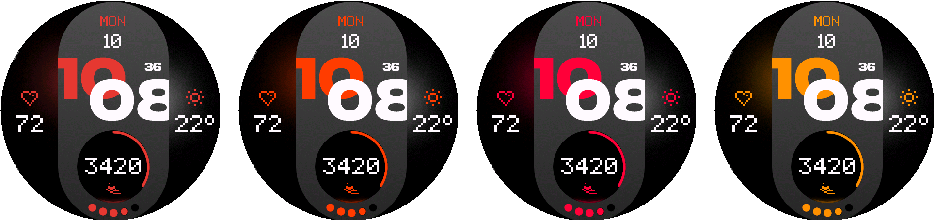
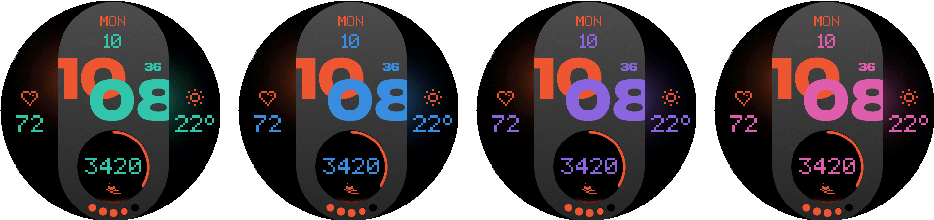
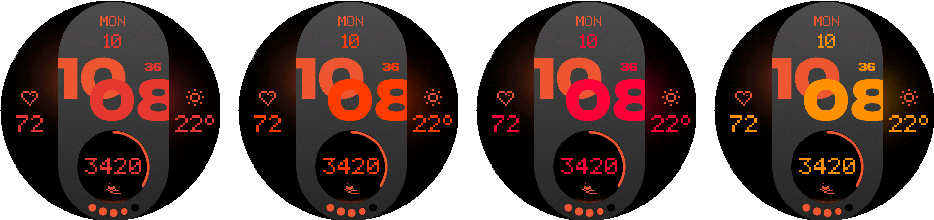
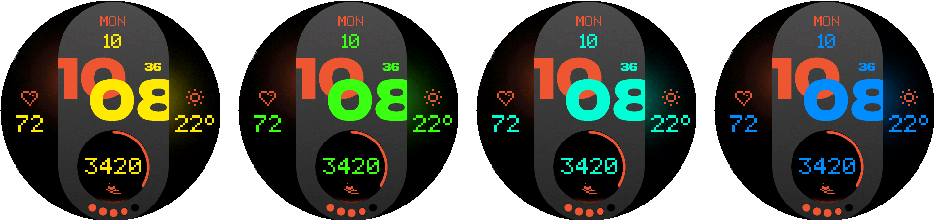
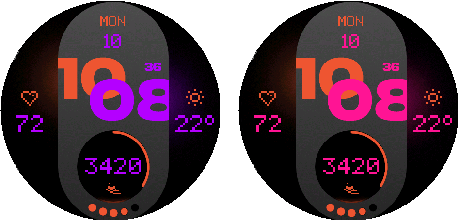
Choose one of 18 accent colors.
1.3
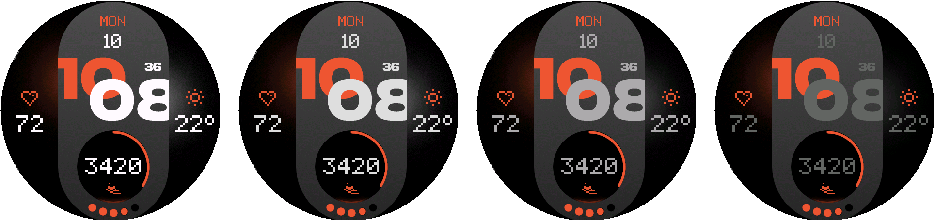
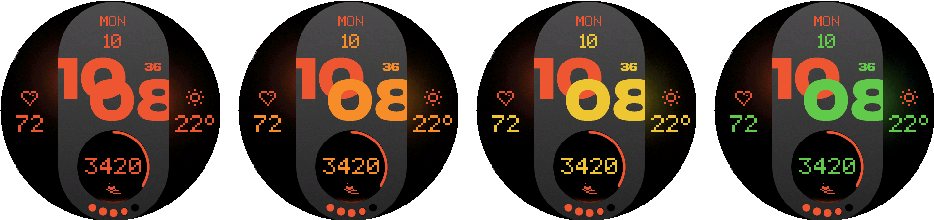
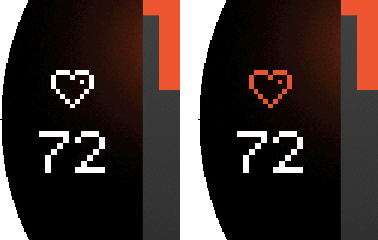
Value + Icon Colors
Choose one of 22 value colors and match side icons to the value or accent color.
1.4
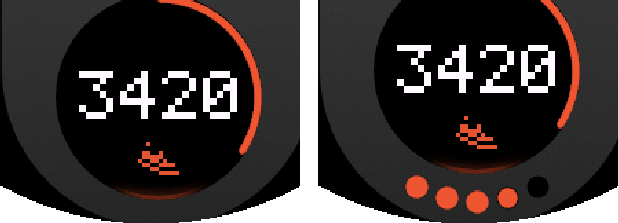
Bottom Battery Indicator
Adds a battery indicator around the bottom data field.
On the watch
Data
Configure one field on each side and one field at the bottom.
2.1
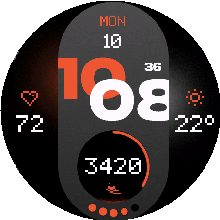
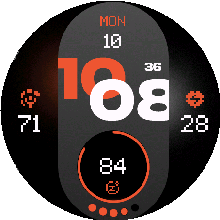
Fixed 1+1 Layout
The date stays at the top. Left, right, and bottom fields are configurable.
2.2
Data Fields
Each configurable position can use any of the 36 data fields below.
Native Watch Face Config on supported watches is for quick setup and may not show every metric. Use Customize or the phone app for the complete list.
Activity: Steps, Steps To Goal, Calories, Active Calories, Distance, Floors ascended, Active Day, Active Week.
Health: Heart Rate, Resting HR, Body Battery, Stress, Pulse Ox, Respiration, Sleep Score.
Date & Time: Date, Calendar, Time, Alt Time Zone 1, Sunrise / Sunset, Moon Phase.
Training: Recovery Time, Training Status, Week Run Distance, Week Bike Distance.
Weather: Weather, Feels Like, Temp. min/max, Precip Chance, Humidity, Wind, UV, Pressure.
System: Battery, Notifications, Altitude.
2.3
Touch Launch
Enable touch globally. Each field automatically opens its compatible Garmin destination.
Available destinations depend on the watch and installed Garmin software.
On the watch
Date & Time
Control the fixed date, digital time, seconds, AM/PM, and alternate zone.
3.1
Time Format
Show digital hours with or without a leading zero.
3.2
Date Format
Choose one of ten numeric or text formats for the fixed top date.


3.3
Seconds Type + Format
Seconds Type offers Auto, Force Digital, Force Analog, and Off. Auto follows the selected time style. Digital Seconds Format chooses plain or colon-prefixed seconds.
Digital and analog seconds are hidden in AMOLED AOD.
3.4
AM/PM + Alternate Time Zone
Show AM/PM when applicable and set one alternate time-zone offset.
On the watch
Weather
LITE uses Garmin Weather.
4.1
Garmin Weather
Weather fields use Garmin observations available on the watch.
4.2
Refresh Data
The on-watch action requests fresh values for the displayed fields.
On the watch
Battery Saver
Set the low-battery threshold and reduced display behavior.
5.1
Trigger
Choose Off, 5%, 10%, 15%, or 20%.
5.2
Minimal AOD / Always-On Seconds
Below the threshold, AMOLED can dim AOD to its minimum level and MIP can turn Always-On Seconds off.
5.3
AOD Look with Low Battery
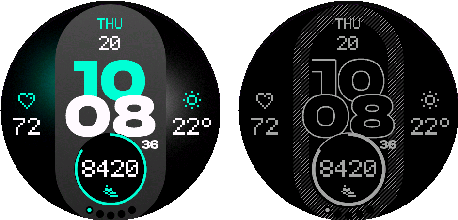
On AMOLED, the active display can use the AOD-style appearance below the threshold.
5.4
AOD Look Brightness
Choose one of five brightness levels for the low-battery AOD-style active display.

On the watch
User Guide
Open the product guide from the watch.
6.1
Open Guide
The on-watch User Guide item opens a QR code for this manual.
On the watch
Reset to Defaults
Restore the original LITE configuration.
7.1
Confirm or Cancel
Confirm restores appearance, fields, date/time, display, battery, and touch settings.
On the watch
AMOLED
AMOLED-only Always-On Display controls.

8.1
Digital AOD
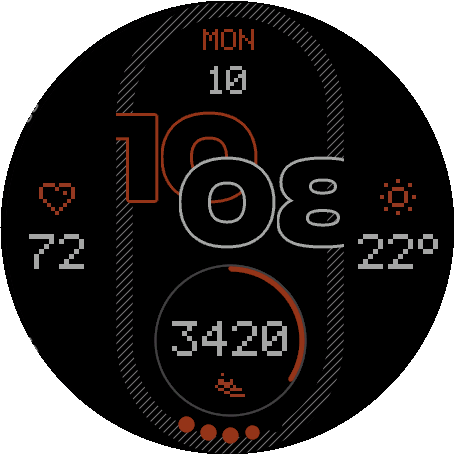
Digital mode keeps the outlined hours and minutes visible in Always-On Display while seconds stay hidden.
8.2
AOD Color Mode
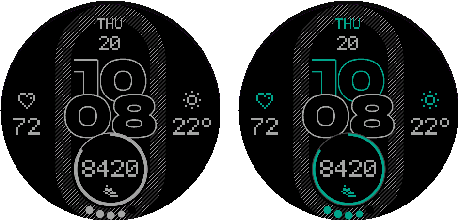
Choose Monochrome or Accent. Monochrome is the default.
8.3
AOD Brightness
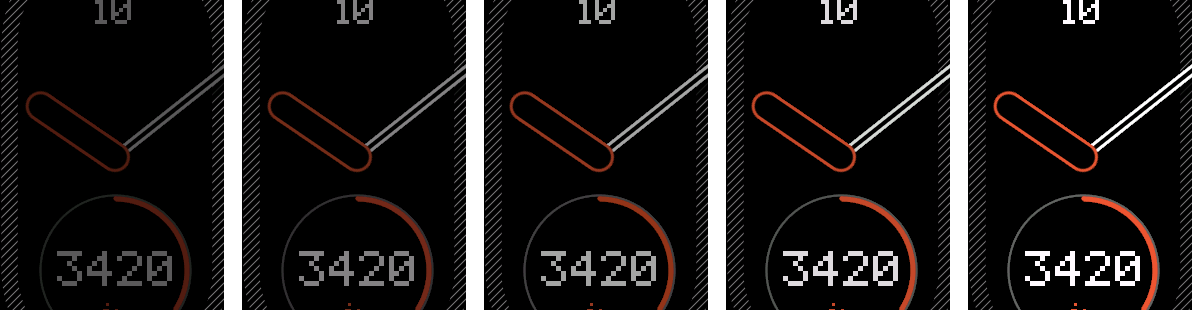
Choose one of five Always-On brightness levels.
8.4
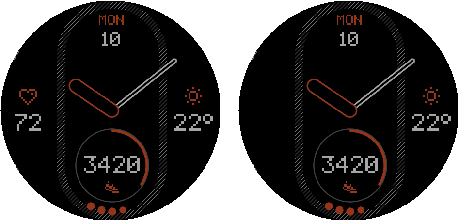
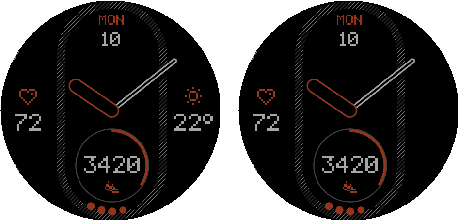
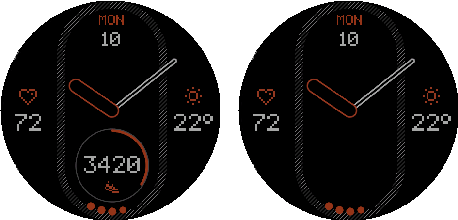
AOD Field Visibility
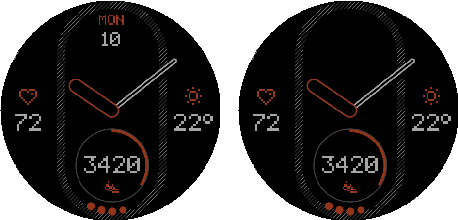
Show or hide the fixed date, left, right, and bottom fields independently.
8.5
Pixel Shift + Night Dimming
Pixel Shift reduces static positioning. Night Dimming follows the selected profile or sunrise/sunset schedule.
On the watch
MIP
MIP-only contrast and continuous-seconds controls.


9.1
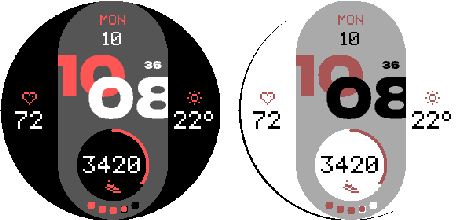
Dark + Light
Invert the appearance for a dark or light face.
9.2
Always-On Seconds
Show or hide continuously updating seconds.
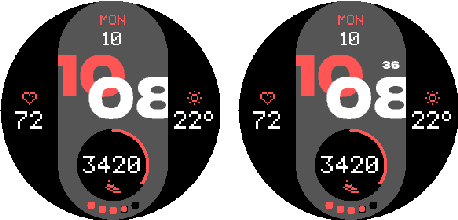
On the watch
Venu X1
Venu X1 uses the same fixed 1+1 layout on its rectangular display.
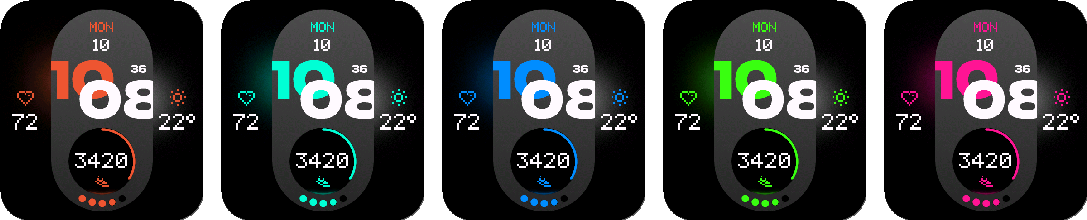
In the Connect IQ app
Appearance
Choose the time style and color treatment.
1.1
Style and Hand Shadow
Choose Digital, Digital Centered, or Analog. Analog hands offer three shadow offsets.
1.2
Accent Color
Choose one of 18 accent colors.
1.3
Value + Icon Colors
Choose one of 22 value colors and match side icons to the value or accent color.
1.4
Bottom Battery Indicator
Adds a battery indicator around the bottom data field.
In the Connect IQ app
Data
Configure one field on each side and one field at the bottom.
2.1
Fixed 1+1 Layout
The date stays at the top. Left, right, and bottom fields are configurable.
2.2
Data Fields
Each configurable position can use any of the 36 data fields below.
Native Watch Face Config on supported watches is for quick setup and may not show every metric. Use Customize or the phone app for the complete list.
Activity: Steps, Steps To Goal, Calories, Active Calories, Distance, Floors ascended, Active Day, Active Week.
Health: Heart Rate, Resting HR, Body Battery, Stress, Pulse Ox, Respiration, Sleep Score.
Date & Time: Date, Calendar, Time, Alt Time Zone 1, Sunrise / Sunset, Moon Phase.
Training: Recovery Time, Training Status, Week Run Distance, Week Bike Distance.
Weather: Weather, Feels Like, Temp. min/max, Precip Chance, Humidity, Wind, UV, Pressure.
System: Battery, Notifications, Altitude.
2.3
Touch Launch
Enable touch globally. Each field automatically opens its compatible Garmin destination.
Available destinations depend on the watch and installed Garmin software.
In the Connect IQ app
Date & Time
Control the fixed date, digital time, seconds, AM/PM, and alternate zone.
3.1
Time Format
Show digital hours with or without a leading zero.
3.2
Date Format
Choose one of ten numeric or text formats for the fixed top date.
3.3
Seconds Type + Format
Seconds Type offers Auto, Force Digital, Force Analog, and Off. Auto follows the selected time style. Digital Seconds Format chooses plain or colon-prefixed seconds.
Digital and analog seconds are hidden in AMOLED AOD.
3.4
AM/PM + Alternate Time Zone
Show AM/PM when applicable and set one alternate time-zone offset.
In the Connect IQ app
Weather
LITE uses Garmin Weather.
4.1
Garmin Weather
Weather fields use Garmin observations available on the watch.
4.2
Refresh Data
The on-watch action requests fresh values for the displayed fields.
In the Connect IQ app
Battery Saver
Set the low-battery threshold and reduced display behavior.
5.1
Trigger
Choose Off, 5%, 10%, 15%, or 20%.
5.2
Minimal AOD / Always-On Seconds
Below the threshold, AMOLED can dim AOD to its minimum level and MIP can turn Always-On Seconds off.
5.3
AOD Look with Low Battery
On AMOLED, the active display can use the AOD-style appearance below the threshold.
5.4
AOD Look Brightness
Choose one of five brightness levels for the low-battery AOD-style active display.
In the Connect IQ app
AMOLED
AMOLED-only Always-On Display controls.
6.1
Digital AOD
Digital mode keeps the outlined hours and minutes visible in Always-On Display while seconds stay hidden.
6.2
AOD Color Mode
Choose Monochrome or Accent. Monochrome is the default.
6.3
AOD Brightness
Choose one of five Always-On brightness levels.
6.4
AOD Field Visibility
Show or hide the fixed date, left, right, and bottom fields independently.
6.5
Pixel Shift + Night Dimming
Pixel Shift reduces static positioning. Night Dimming follows the selected profile or sunrise/sunset schedule.
In the Connect IQ app
MIP
MIP-only contrast and continuous-seconds controls.
7.1
Dark + Light
Invert the appearance for a dark or light face.
7.2
Always-On Seconds
Show or hide continuously updating seconds.
In the Connect IQ app
Venu X1
Venu X1 uses the same fixed 1+1 layout on its rectangular display.
Configure the watch face from Garmin Connect IQ or directly on a compatible watch. NXT.01 PRO adds more fields, layouts, data types, and configuration options.