
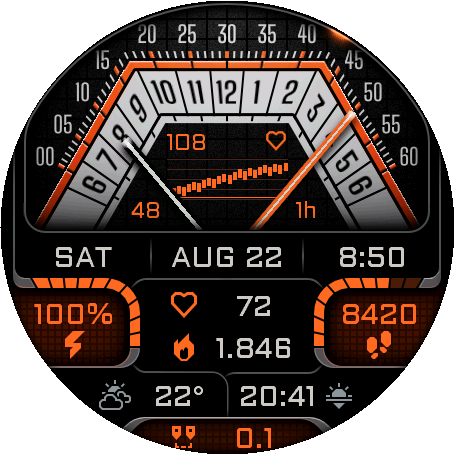
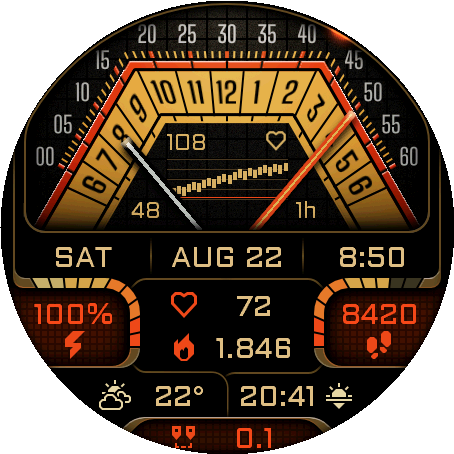
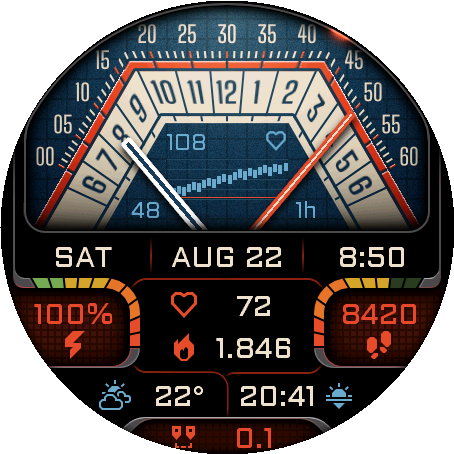
Four retro-futuristic themes with five center graphs and two graph styles.
← All watch faces
Watch face for Garmin
Volta
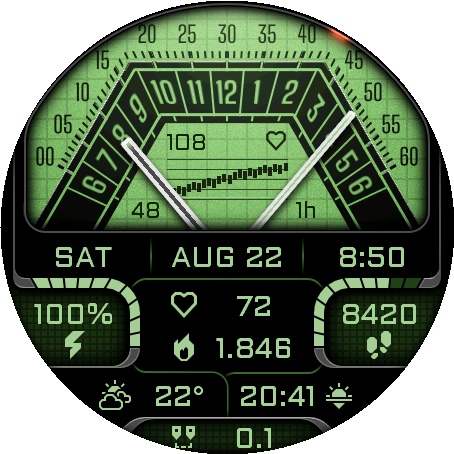
Retrograde Data Dashboard
The future the ’80s promised.
A data-rich retro-futuristic dashboard inspired by the future the ’80s imagined.
Supported devices58
 Approach® S70 42mmAMOLED · 390 × 390
 Approach® S70 47mmAMOLED · 454 × 454
 D2™ Air X15AMOLED · 454 × 454
 D2™ Mach 1AMOLED · 416 × 416
 D2™ Mach 1 ProAMOLED · 454 × 454
 D2™ Mach 2AMOLED · 454 × 454
 D2™ Mach 2 ProAMOLED · 454 × 454
 Descent™ Mk3 43mmAMOLED · 390 × 390Descent™ Mk3i 43mmAMOLED · 390 × 390
 Descent™ Mk3i 51mmAMOLED · 454 × 454
 epix™ (Gen 2)AMOLED · 416 × 416
 epix™ Pro (Gen 2) 42mmAMOLED · 390 × 390
 epix™ Pro (Gen 2) 47mmAMOLED · 416 × 416epix™ Pro (Gen 2) 51mmAMOLED · 454 × 454
 fēnix® 8 43mmAMOLED · 416 × 416
 fēnix® 8 47mmAMOLED · 454 × 454fēnix® 8 51mmAMOLED · 454 × 454
 fēnix® 8 Pro 47mmAMOLED · 454 × 454fēnix® 8 Pro 51mmAMOLED · 454 × 454fēnix® 8 Pro MicroLEDAMOLED · 454 × 454
 fēnix® 9 43mmAMOLED · 416 × 416
 fēnix® 9 47mmAMOLED · 454 × 454fēnix® 9 51mmAMOLED · 454 × 454
 fēnix® 9 Pro 43mmAMOLED · 416 × 416
 fēnix® 9 Pro 47mmAMOLED · 454 × 454
 fēnix® 9 Pro 51mmAMOLED · 466 × 466
 fēnix® EAMOLED · 416 × 416
 Forerunner® 170AMOLED · 390 × 390
 Forerunner® 170 MusicAMOLED · 390 × 390
 Forerunner® 265AMOLED · 416 × 416
 Forerunner® 570 42mmAMOLED · 390 × 390
 Forerunner® 570 47mmAMOLED · 454 × 454
 Forerunner® 965AMOLED · 454 × 454
 Forerunner® 970AMOLED · 454 × 454
 Instinct® 3 AMOLED 45mmAMOLED · 390 × 390
 Instinct® 3 AMOLED 50mmAMOLED · 416 × 416
 MARQ® (Gen 2) AdventurerAMOLED · 390 × 390MARQ® (Gen 2) AthleteAMOLED · 390 × 390
 MARQ® (Gen 2) AviatorAMOLED · 390 × 390MARQ® (Gen 2) CaptainAMOLED · 390 × 390MARQ® (Gen 2) Carbon EditionAMOLED · 390 × 390MARQ® (Gen 2) Commander – Carbon EditionAMOLED · 390 × 390MARQ® (Gen 2) GolferAMOLED · 390 × 390quatix® 7 ProAMOLED · 416 × 416quatix® 7 SapphireAMOLED · 416 × 416quatix® 8 47mmAMOLED · 454 × 454quatix® 8 51mmAMOLED · 454 × 454quatix® 8 Pro 47mmAMOLED · 454 × 454quatix® 8 Pro 51mmAMOLED · 454 × 454tactix® 7 – AMOLED EditionAMOLED · 454 × 454tactix® 8 47mmAMOLED · 454 × 454tactix® 8 51mmAMOLED · 454 × 454
 Venu® 3AMOLED · 454 × 454
 Venu® 3SAMOLED · 390 × 390
 Venu® 4 41mmAMOLED · 390 × 390Venu® 4 45mmAMOLED · 454 × 454
 Venu® X1AMOLED · 448 × 486
 vívoactive® 6AMOLED · 390 × 390
64 data types across ten independently configurable dashboard positions.
AMOLED Always-On display, touch shortcuts, weather providers, battery saver, and custom goals.
User guide
Make it yours
Choose where you want to configure the watch face, then jump directly to any setting.
On the watch
Appearance & Graphs
Choose the dashboard palette and the information plotted between the analog scales.
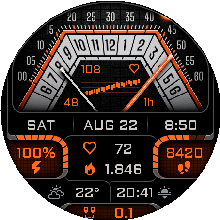
1.1
Theme
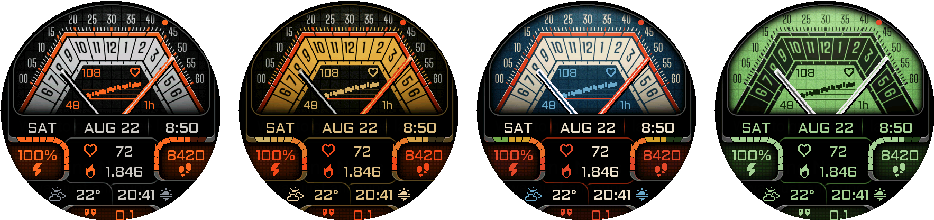
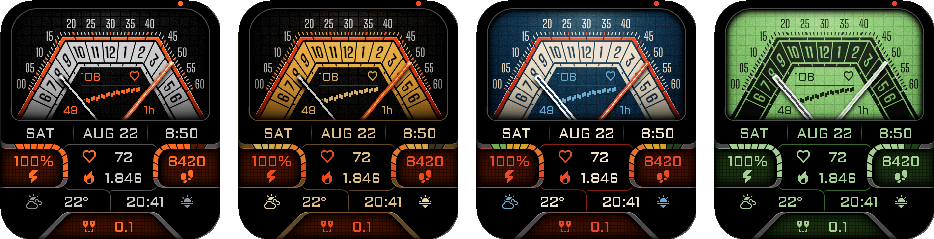
Choose Gunmetal Orange, Gold Red, Blue Red, or Green Black.
The same four themes are available on every supported device.
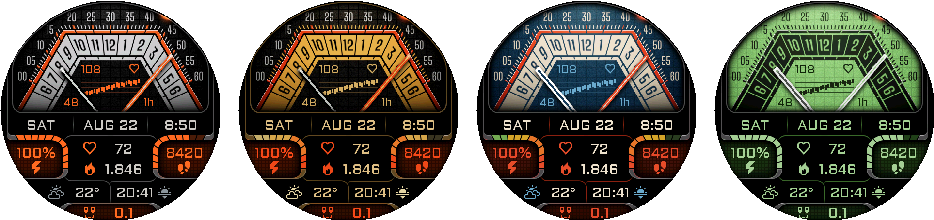
1.2
Center Graph
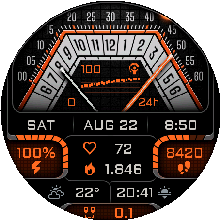
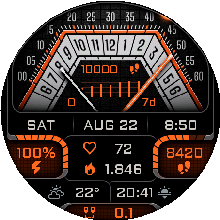
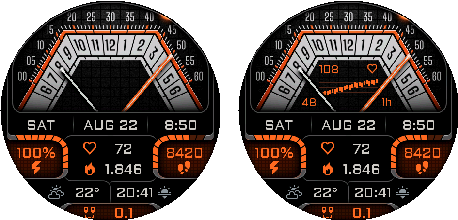
Choose Off, Body Battery, Stress, Heart Rate, Steps, or Elevation.
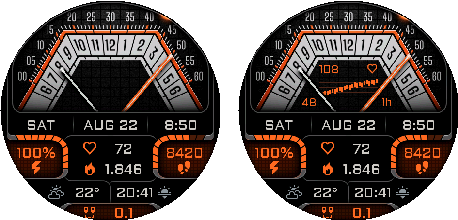
The graph is omitted from the minimal Always-On layout.
1.3
Graph Style
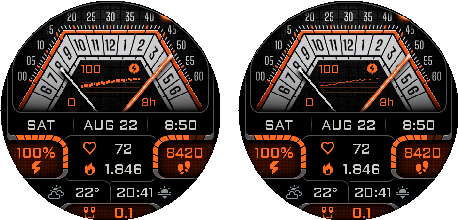
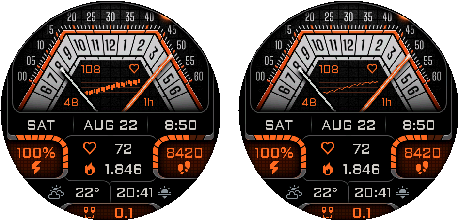
Choose Range Columns or Line.
Style applies to Stress, Heart Rate, and Elevation. Body Battery and Steps use their dedicated presentation.
1.4
Graph Ranges
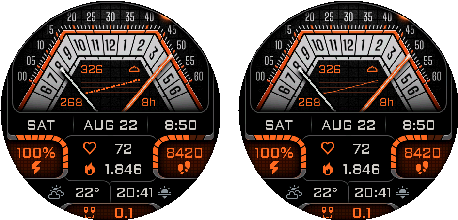
Body Battery, Stress, Heart Rate, and Elevation each offer 1h, 2h, 4h, 8h, 12h, and 24h.
Defaults shown in the figures: Body Battery 24h, Stress 8h, Heart Rate 1h, and Elevation 8h. Steps always shows 7 days.
The figures intentionally cover only these default time ranges.
1.5
Graph Touch Action
Choose Open Glance, Next graph type, or Next time range.
Touch controls are unavailable on Instinct 3 AMOLED.
On the watch
Data Fields & Touch
Configure all ten dashboard positions and their touch behavior.
2.1
Ten Slots
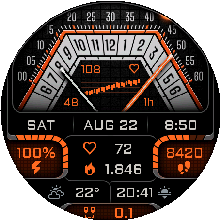
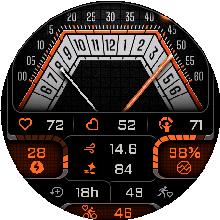
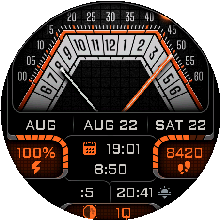
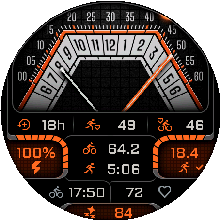
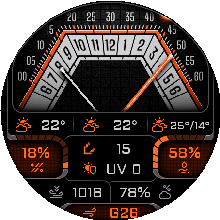
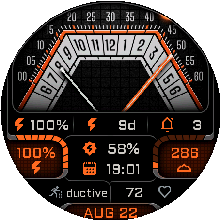
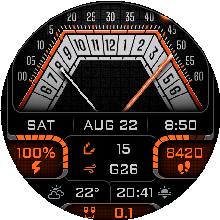
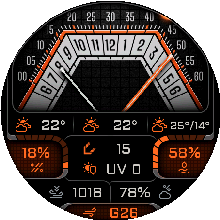
Top left/center/right, left/right progress, Middle 1/2, and bottom left/right/center are configured independently.



2.2
Regular Data Fields
The top, middle, and bottom slots can use any of 64 data fields.
Activity: Steps, Steps To Goal, Step Goal Progress, Calories, Active Calories, Active Cal. %, Distance, Floors ascended, Floors descended, Meters Climbed, Meters Descended, Active Day, Active Week, Move Bar.
Health: Heart Rate, Resting HR, Body Battery, Stress, Pulse Ox, Respiration, Sleep Score.
Date & Time: Month, Date, Day, Week Number, Year, Calendar, Time, Seconds, Alt Time Zone 1, Alt Time Zone 2, Sunrise / Sunset, Dawn / Dusk, Remaining Sun / Dark, Moon Phase.
Training: Recovery Time, VO2 Max (Run), VO2 Max (Bike), Training Status, Week Run Dist, Week Bike Dist, Week Run Time, Week Bike Time.
Weather: Weather, Feels Like, Temp. min/max, Precip Chance (Garmin), Humidity, Wind, UV (Garmin), Pressure, Ground Pressure (OWM), Barometric Trend (Garmin), Cloud Cover, Rain (1h) (OWM), Wind Gust (OWM), Visibility, Dew Point (Garmin).
System: Battery, Battery Days, Notifications, Alarm Count, Altitude, Solar Input.
2.3
Progress Fields
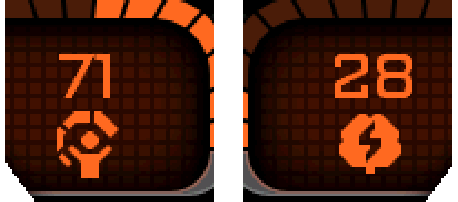
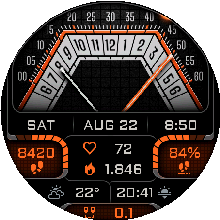
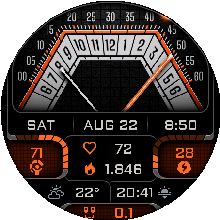
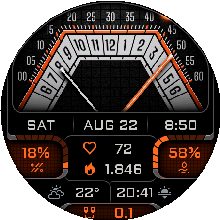
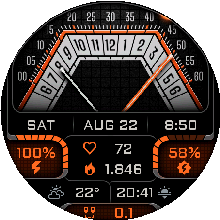
The left and right progress positions use a compatible 38-field subset and draw the value against its goal or range.
Progress slots accept Steps, Step Goal Progress, Calories, Active Calories, Active Cal. %, Distance, Floors up/down, Meters up/down, Active Day/Week, Move Bar, Body Battery, Stress, Pulse Ox, Respiration, Sleep Score, Recovery Time, both VO2 Max values, weekly run/bike distance and time, Feels Like, Precip Chance, Humidity, UV, Pressure, Ground Pressure, Barometric Trend, Cloud Cover, Dew Point, Battery, Battery Days, Altitude, and Solar Input.
Some progress fields use custom goals that must be set in the watch face settings in the Connect IQ app.
2.4
Touch Launch
Enable Touch launch, then assign a destination independently to every slot.
Auto opens the native Garmin glance associated with the displayed field when available.
Each slot can use Auto, Battery, Steps, Calories, Floors ascended, Intensity Minutes, Date, Weekday & Date, Weather, 1/2/3-day forecast, Calendar, Sunrise, Sunset, Altitude, Sea Level Pressure, Notifications, Heart Rate, weekly run/bike distance, Recovery Time, Stress, Body Battery, both VO2 Max values, Training Status, race predictors and paces for 5K/10K/half/marathon, Pulse Ox, Respiration, Solar Input, Temperature, Temp. min/max, Wheelchair Pushes, Last Golf Round Score, Sleep Score, or an external complication selected on the watch.
Touch launch and slot touch-target settings are unavailable on Instinct 3 AMOLED.
On the watch
Date & Time
Control the digital readout, date, analog seconds, hand movement, and alternate zones.
3.1
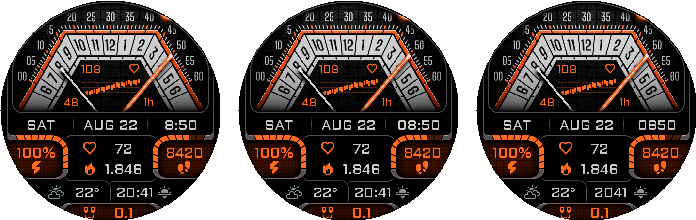
Time Format
Choose 9:05, 09:05, or Military time (2105).
Show AM/PM can be enabled when the watch uses a 12-hour clock.
3.2
Date Format
Choose 5.7., 05.07., 5/7, 05/07, 7/5, 07/05, 5 JUL, JUL 5, WED 5, or 5 WED.


3.3
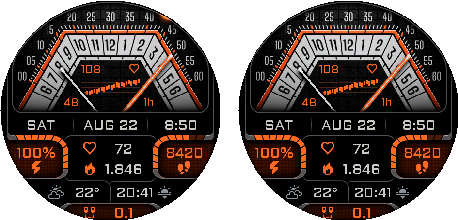
Analog Seconds
Show or hide the analog second hand in active mode.
Look at the seconds indicator in the upper-right corner of the watch face.
3.4
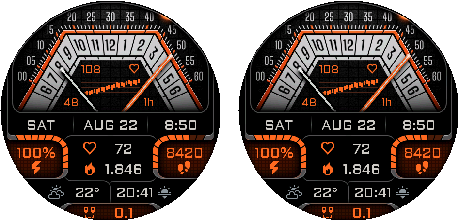
Minute Hand Movement
Choose Smooth or Exact minute. Smooth includes seconds in the minute-hand angle; Exact minute moves the hand in one-minute steps.
3.5
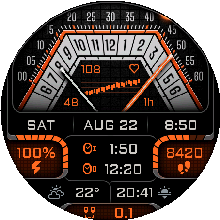
Alternate Time Zones
Set two independent UTC offsets from UTC−12:00 through UTC+14:00 in 30-minute steps, then assign either zone to a field.
On the watch
Display & Battery
Tune AMOLED Always-On visibility and low-battery behavior.
4.1
AOD Brightness
Choose Very Low, Low, Medium, High, or Very High.

4.2
Always-On Layout
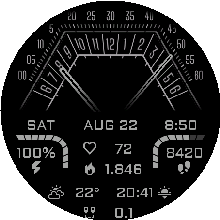
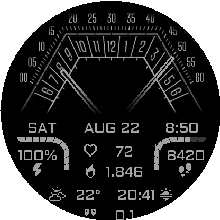
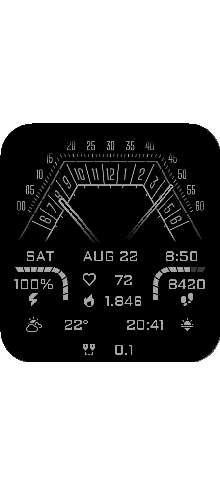
AOD keeps a low-power monochrome dashboard and omits the center graph.
The same behavior is shown on all three screenshot devices.
4.3
AOD Night Dimming
Choose Profile Sleep/Wake, Profile Sleep/Wake − 2 hours, Sunrise/Sunset, or Off.
4.4
Battery Saver Trigger
Choose Off, 5%, 10%, 15%, or 20%.
Minimal AOD Below Trigger can force the reduced AOD layout when the battery reaches the selected threshold.
On the watch
Weather
Choose a provider and manage cached observations from the watch.
5.1
Source
Choose Garmin or OpenWeatherMap.
The OWM API key is entered in Connect IQ. The watch shows OWM status.
5.2
Refresh & Clear
Refresh data requests current values. Clear OWM cache removes cached observations and retry state.
On the watch
Custom Goals
Review the current custom progress goals on the watch.
6.1
Read-only on Watch
All eleven goal values are shown in the watch menu but edited in Connect IQ.
Total calories: default 1500; range 1–10000. Active calories: default 300; range 1–5000.
Distance: default 5.0 km; range 0.1–500 km. Active day: default 20 min; range 1–1440 min.
Floors down: default 5; range 1–1000. Meters up/down: default 50 m each; range 1–10000 m.
Week run: default 15.0 km; range 0.1–1000 km. Week bike: default 50.0 km; range 0.1–3000 km.
Week run time: default 120 min. Week bike time: default 180 min. Both ranges are 1–10080 min.
On the watch
System & Reset
Refresh displayed data, check the version, or restore defaults.
7.1
System
Refresh data invalidates displayed values and requests a redraw. Version is read-only.
7.2
Reset to Defaults
Open Reset to Defaults, then choose Confirm Reset or Cancel.
On the watch
Screenshot Devices
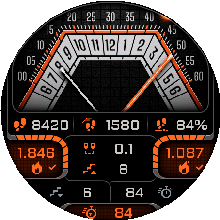
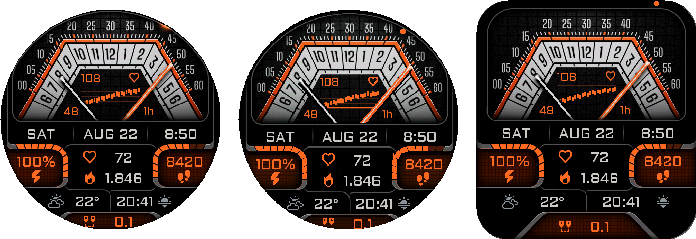
The manual uses deterministic captures from Fenix 8 Pro 47mm, Instinct 3 50mm, and Venu X1.
8.1
Layout Comparison
Round and rectangular displays keep the same information hierarchy while adapting their geometry.
In the Connect IQ app
Appearance & Graphs
Choose the dashboard palette and the information plotted between the analog scales.
1.1
Theme
Choose Gunmetal Orange, Gold Red, Blue Red, or Green Black.
The same four themes are available on every supported device.
1.2
Center Graph
Choose Off, Body Battery, Stress, Heart Rate, Steps, or Elevation.
The graph is omitted from the minimal Always-On layout.
1.3
Graph Style
Choose Range Columns or Line.
Style applies to Stress, Heart Rate, and Elevation. Body Battery and Steps use their dedicated presentation.
1.4
Graph Ranges
Body Battery, Stress, Heart Rate, and Elevation each offer 1h, 2h, 4h, 8h, 12h, and 24h.
Defaults shown in the figures: Body Battery 24h, Stress 8h, Heart Rate 1h, and Elevation 8h. Steps always shows 7 days.
The figures intentionally cover only these default time ranges.
1.5
Graph Touch Action
Choose Open Glance, Next graph type, or Next time range.
Touch controls are unavailable on Instinct 3 AMOLED.
In the Connect IQ app
Data Fields & Touch
Configure all ten dashboard positions and their touch behavior.
2.1
Ten Slots
Top left/center/right, left/right progress, Middle 1/2, and bottom left/right/center are configured independently.
2.2
Regular Data Fields
The top, middle, and bottom slots can use any of 64 data fields.
Activity: Steps, Steps To Goal, Step Goal Progress, Calories, Active Calories, Active Cal. %, Distance, Floors ascended, Floors descended, Meters Climbed, Meters Descended, Active Day, Active Week, Move Bar.
Health: Heart Rate, Resting HR, Body Battery, Stress, Pulse Ox, Respiration, Sleep Score.
Date & Time: Month, Date, Day, Week Number, Year, Calendar, Time, Seconds, Alt Time Zone 1, Alt Time Zone 2, Sunrise / Sunset, Dawn / Dusk, Remaining Sun / Dark, Moon Phase.
Training: Recovery Time, VO2 Max (Run), VO2 Max (Bike), Training Status, Week Run Dist, Week Bike Dist, Week Run Time, Week Bike Time.
Weather: Weather, Feels Like, Temp. min/max, Precip Chance (Garmin), Humidity, Wind, UV (Garmin), Pressure, Ground Pressure (OWM), Barometric Trend (Garmin), Cloud Cover, Rain (1h) (OWM), Wind Gust (OWM), Visibility, Dew Point (Garmin).
System: Battery, Battery Days, Notifications, Alarm Count, Altitude, Solar Input.
2.3
Progress Fields
The left and right progress positions use a compatible 38-field subset and draw the value against its goal or range.
Progress slots accept Steps, Step Goal Progress, Calories, Active Calories, Active Cal. %, Distance, Floors up/down, Meters up/down, Active Day/Week, Move Bar, Body Battery, Stress, Pulse Ox, Respiration, Sleep Score, Recovery Time, both VO2 Max values, weekly run/bike distance and time, Feels Like, Precip Chance, Humidity, UV, Pressure, Ground Pressure, Barometric Trend, Cloud Cover, Dew Point, Battery, Battery Days, Altitude, and Solar Input.
Some progress fields use custom goals that must be set in the watch face settings in the Connect IQ app.
2.4
Touch Launch
Enable Touch launch, then assign a destination independently to every slot.
Auto opens the native Garmin glance associated with the displayed field when available.
Each slot can use Auto, Battery, Steps, Calories, Floors ascended, Intensity Minutes, Date, Weekday & Date, Weather, 1/2/3-day forecast, Calendar, Sunrise, Sunset, Altitude, Sea Level Pressure, Notifications, Heart Rate, weekly run/bike distance, Recovery Time, Stress, Body Battery, both VO2 Max values, Training Status, race predictors and paces for 5K/10K/half/marathon, Pulse Ox, Respiration, Solar Input, Temperature, Temp. min/max, Wheelchair Pushes, Last Golf Round Score, Sleep Score, or an external complication selected on the watch.
Touch launch and slot touch-target settings are unavailable on Instinct 3 AMOLED.
In the Connect IQ app
Date & Time
Control the digital readout, date, analog seconds, hand movement, and alternate zones.
3.1
Time Format
Choose 9:05, 09:05, or Military time (2105).
Show AM/PM can be enabled when the watch uses a 12-hour clock.
3.2
Date Format
Choose 5.7., 05.07., 5/7, 05/07, 7/5, 07/05, 5 JUL, JUL 5, WED 5, or 5 WED.
3.3
Analog Seconds
Show or hide the analog second hand in active mode.
Look at the seconds indicator in the upper-right corner of the watch face.
3.4
Minute Hand Movement
Choose Smooth or Exact minute. Smooth includes seconds in the minute-hand angle; Exact minute moves the hand in one-minute steps.
3.5
Alternate Time Zones
Set two independent UTC offsets from UTC−12:00 through UTC+14:00 in 30-minute steps, then assign either zone to a field.
In the Connect IQ app
Display & Battery
Tune AMOLED Always-On visibility and low-battery behavior.
4.1
AOD Brightness
Choose Very Low, Low, Medium, High, or Very High.
4.2
Always-On Layout
AOD keeps a low-power monochrome dashboard and omits the center graph.
The same behavior is shown on all three screenshot devices.
4.3
AOD Night Dimming
Choose Profile Sleep/Wake, Profile Sleep/Wake − 2 hours, Sunrise/Sunset, or Off.
4.4
Battery Saver Trigger
Choose Off, 5%, 10%, 15%, or 20%.
Minimal AOD Below Trigger can force the reduced AOD layout when the battery reaches the selected threshold.
In the Connect IQ app
Weather
Choose a provider and configure OpenWeatherMap.
5.1
Weather Source
Choose Garmin or OpenWeatherMap.
5.2
OWM API Key
Enter your personal OpenWeatherMap API key.
5.3
OWM Refresh
Choose 15, 30, or 60 minutes.
In the Connect IQ app
Custom Goals
Set the targets used by compatible progress fields.
6.1
Eleven Goals
Configure total and active calories, distance, active day, floors down, meters up/down, weekly run/bike distance, and weekly run/bike time.
Total calories: default 1500; range 1–10000. Active calories: default 300; range 1–5000.
Distance: default 5.0 km; range 0.1–500 km. Active day: default 20 min; range 1–1440 min.
Floors down: default 5; range 1–1000. Meters up/down: default 50 m each; range 1–10000 m.
Week run: default 15.0 km; range 0.1–1000 km. Week bike: default 50.0 km; range 0.1–3000 km.
Week run time: default 120 min. Week bike time: default 180 min. Both ranges are 1–10080 min.
In the Connect IQ app
About
Reference the installed build.
7.1
Version
App Version is read-only.
In the Connect IQ app
Screenshot Devices
The manual uses deterministic captures from Fenix 8 Pro 47mm, Instinct 3 50mm, and Venu X1.
8.1
Layout Comparison
Round and rectangular displays keep the same information hierarchy while adapting their geometry.
Configure Volta from Garmin Connect IQ or directly on a compatible watch. The watch menu provides fast access to appearance, fields, date and time, display, battery, weather, goals, system actions, and reset.