
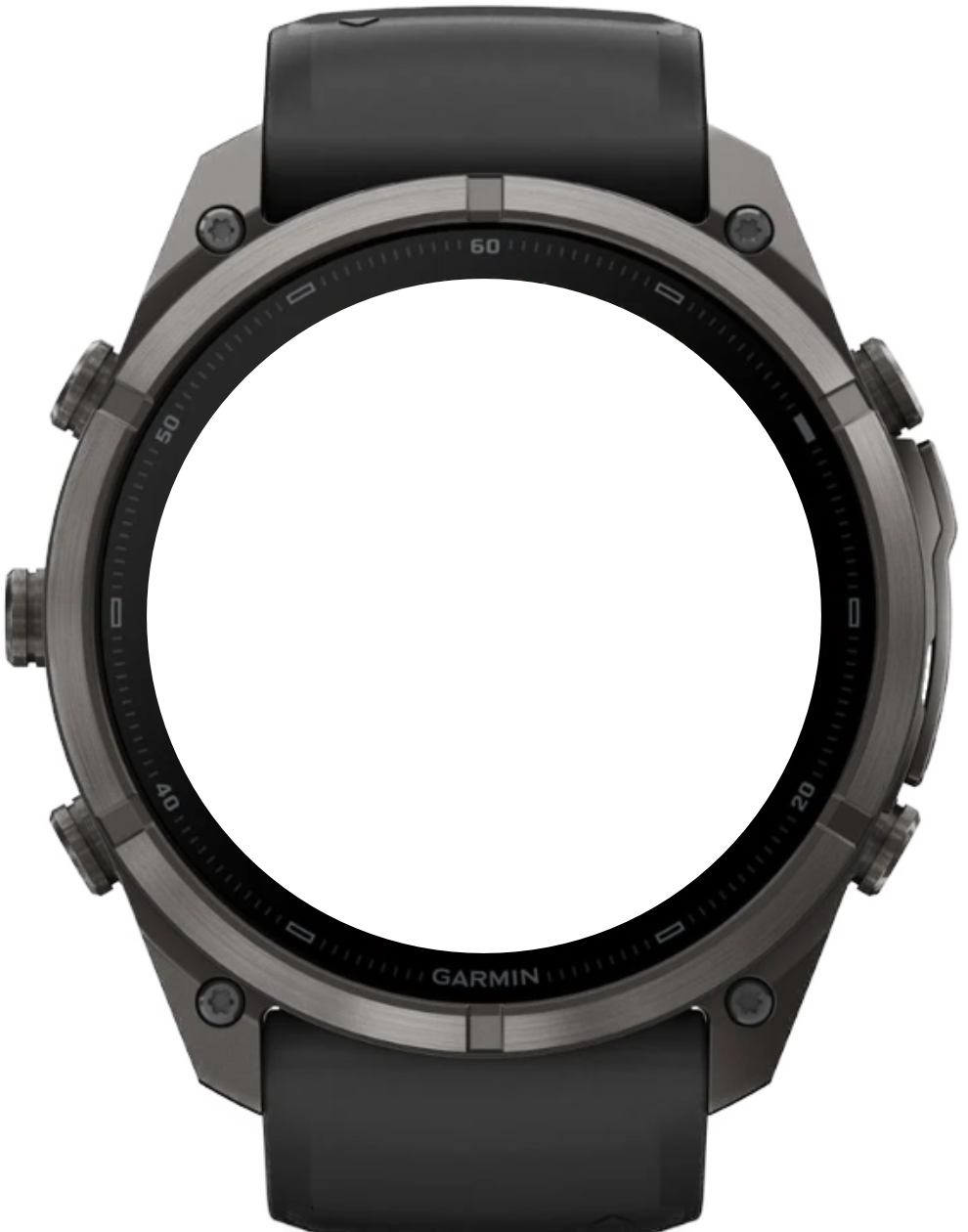
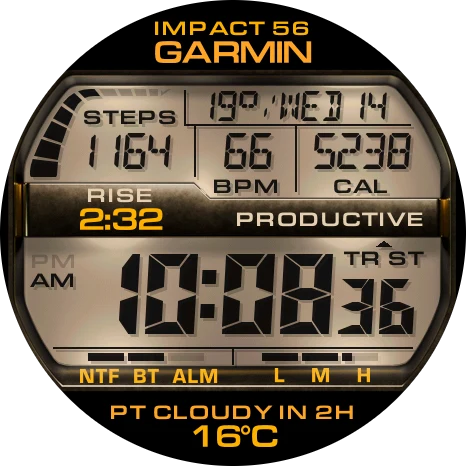
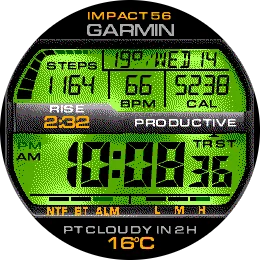
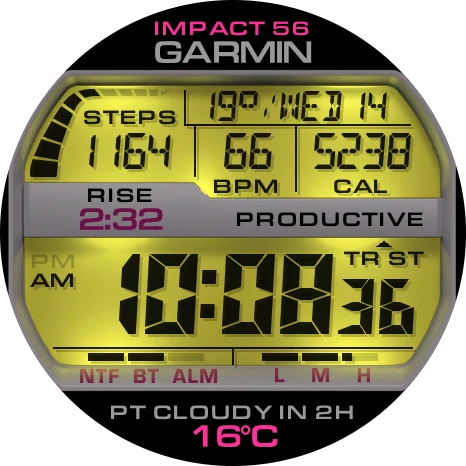
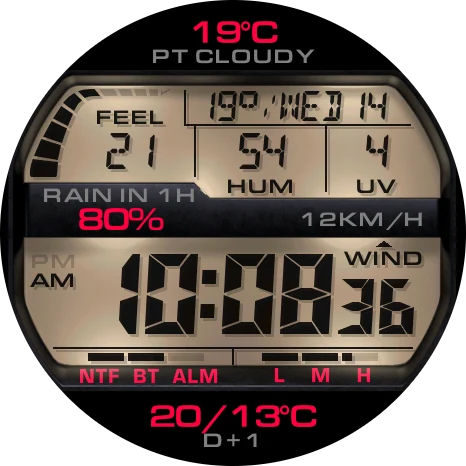
19 color schemes and 18 frame materials, light or dark LCD, six adjustable color roles and two custom HEX colors, on AMOLED and MIP watches.
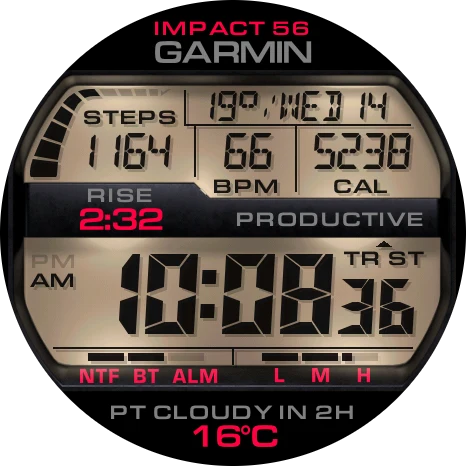
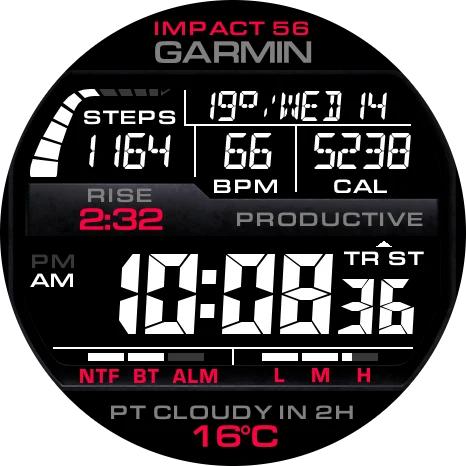
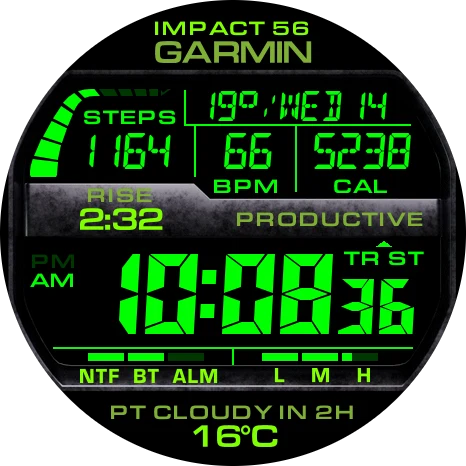
Supported devices95
 Approach® S50AMOLED · 390 × 390
 Approach® S70 42mmAMOLED · 390 × 390
 Approach® S70 47mmAMOLED · 454 × 454
 Approach® S72 43mmAMOLED · 416 × 416
 Approach® S72 47mmAMOLED · 454 × 454
 D2™ Air X15AMOLED · 454 × 454
 D2™ Mach 1AMOLED · 416 × 416
 D2™ Mach 1 ProAMOLED · 454 × 454
 D2™ Mach 2AMOLED · 454 × 454
 D2™ Mach 2 ProAMOLED · 454 × 454
 Descent™ G2AMOLED · 390 × 390
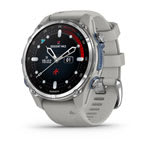 Descent™ Mk3 43mmAMOLED · 390 × 390Descent™ Mk3i 43mmAMOLED · 390 × 390
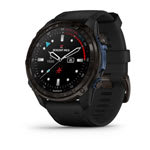 Descent™ Mk3i 51mmAMOLED · 454 × 454
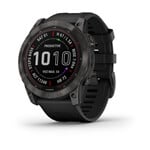 Enduro™ 2Memory-in-pixel · 280 × 280
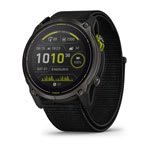 Enduro™ 3Memory-in-pixel · 280 × 280
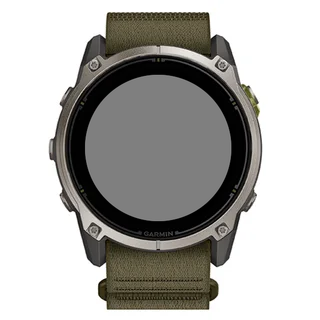 Enduro™ 4Memory-in-pixel · 280 × 280
 epix™ (Gen 2)AMOLED · 416 × 416
 epix™ Pro (Gen 2) 42mmAMOLED · 390 × 390
 epix™ Pro (Gen 2) 47mmAMOLED · 416 × 416epix™ Pro (Gen 2) 51mmAMOLED · 454 × 454
 fēnix® 7Memory-in-pixel · 260 × 260
 fēnix® 7 ProMemory-in-pixel · 260 × 260
 fēnix® 7 Pro - Solar Edition (no Wi-Fi)Memory-in-pixel · 260 × 260
 fēnix® 7SMemory-in-pixel · 240 × 240
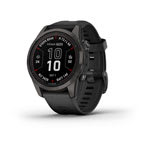 fēnix® 7S ProMemory-in-pixel · 240 × 240fēnix® 7XMemory-in-pixel · 280 × 280
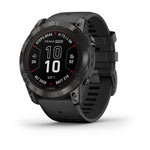 fēnix® 7X ProMemory-in-pixel · 280 × 280
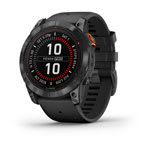 fēnix® 7X Pro - Solar Edition (no Wi-Fi)Memory-in-pixel · 280 × 280
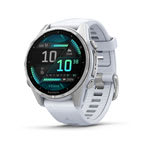 fēnix® 8 43mmAMOLED · 416 × 416
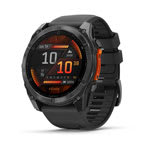 fēnix® 8 47mmAMOLED · 454 × 454fēnix® 8 51mmAMOLED · 454 × 454
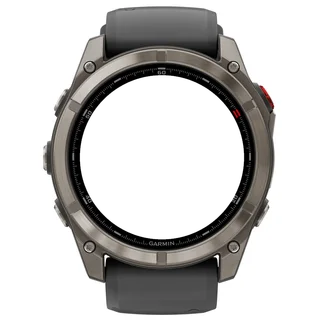 fēnix® 8 Pro 47mmAMOLED · 454 × 454fēnix® 8 Pro 51mmAMOLED · 454 × 454fēnix® 8 Pro MicroLEDAMOLED · 454 × 454
 fēnix® 8 Solar 47mmMemory-in-pixel · 260 × 260
 fēnix® 8 Solar 51mmMemory-in-pixel · 280 × 280
 fēnix® 9 43mmAMOLED · 416 × 416
 fēnix® 9 47mmAMOLED · 454 × 454fēnix® 9 51mmAMOLED · 454 × 454
 fēnix® 9 Pro 43mmAMOLED · 416 × 416
 fēnix® 9 Pro 47mmAMOLED · 454 × 454
 fēnix® 9 Pro 51mmAMOLED · 466 × 466
 fēnix® 9 Pro Solar 47mmMemory-in-pixel · 260 × 260
 fēnix® 9 Pro Solar 51mmMemory-in-pixel · 280 × 280
 fēnix® EAMOLED · 416 × 416
 Forerunner® 70AMOLED · 390 × 390
 Forerunner® 165AMOLED · 390 × 390
 Forerunner® 165 MusicAMOLED · 390 × 390
 Forerunner® 170AMOLED · 390 × 390
 Forerunner® 170 MusicAMOLED · 390 × 390
 Forerunner® 255Memory-in-pixel · 260 × 260
 Forerunner® 255 MusicMemory-in-pixel · 260 × 260
 Forerunner® 265AMOLED · 416 × 416
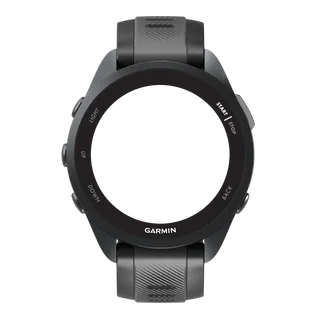 Forerunner® 570 42mmAMOLED · 390 × 390
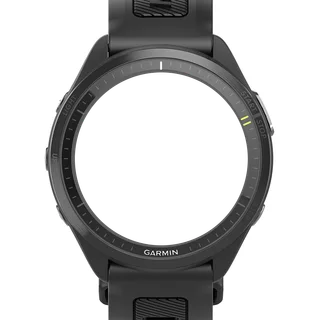 Forerunner® 570 47mmAMOLED · 454 × 454
 Forerunner® 955Memory-in-pixel · 260 × 260Forerunner® 955 SolarMemory-in-pixel · 260 × 260
 Forerunner® 965AMOLED · 454 × 454
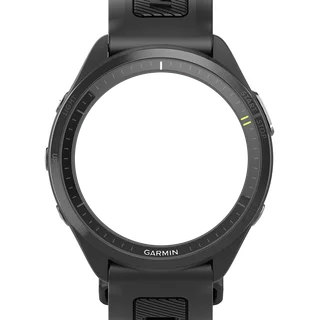 Forerunner® 970AMOLED · 454 × 454
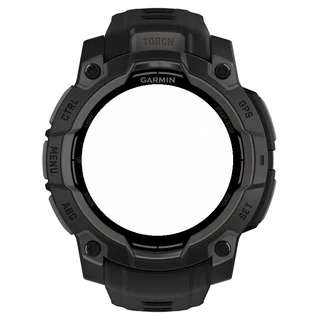 Instinct® 3 AMOLED 45mmAMOLED · 390 × 390
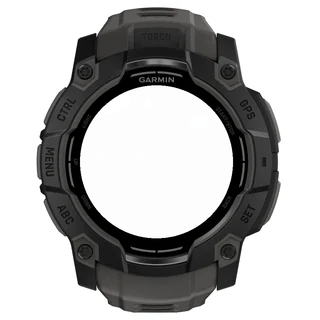 Instinct® 3 AMOLED 50mmAMOLED · 416 × 416
 MARQ® (Gen 2) AdventurerAMOLED · 390 × 390MARQ® (Gen 2) AthleteAMOLED · 390 × 390
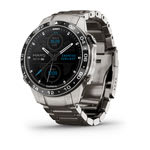 MARQ® (Gen 2) AviatorAMOLED · 390 × 390MARQ® (Gen 2) CaptainAMOLED · 390 × 390MARQ® (Gen 2) Carbon EditionAMOLED · 390 × 390MARQ® (Gen 2) Commander – Carbon EditionAMOLED · 390 × 390MARQ® (Gen 2) GolferAMOLED · 390 × 390
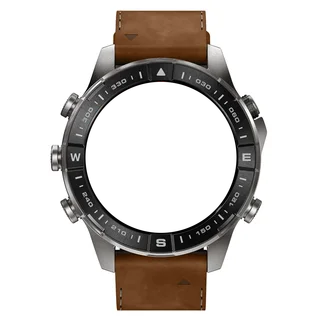 MARQ® (Gen 3) AdventurerAMOLED · 454 × 454MARQ® (Gen 3) AthleteAMOLED · 454 × 454MARQ® (Gen 3) AviatorAMOLED · 454 × 454MARQ® (Gen 3) CarbonAMOLED · 454 × 454MARQ® (Gen 3) CommanderAMOLED · 454 × 454MARQ® (Gen 3) DiverAMOLED · 454 × 454MARQ® (Gen 3) GolferAMOLED · 454 × 454quatix® 7Memory-in-pixel · 260 × 260quatix® 7 ProAMOLED · 416 × 416quatix® 7 SapphireAMOLED · 416 × 416quatix® 7X SolarMemory-in-pixel · 280 × 280quatix® 8 47mmAMOLED · 454 × 454quatix® 8 51mmAMOLED · 454 × 454quatix® 8 Pro 47mmAMOLED · 454 × 454quatix® 8 Pro 51mmAMOLED · 454 × 454tactix® 7Memory-in-pixel · 280 × 280tactix® 7 – AMOLED EditionAMOLED · 454 × 454tactix® 8 47mmAMOLED · 454 × 454tactix® 8 51mmAMOLED · 454 × 454tactix® 8 Solar 51mmMemory-in-pixel · 280 × 280
 Venu® 3AMOLED · 454 × 454
 Venu® 3SAMOLED · 390 × 390
 Venu® 4 41mmAMOLED · 390 × 390Venu® 4 45mmAMOLED · 454 × 454
 vívoactive® 5AMOLED · 390 × 390
 vívoactive® 6AMOLED · 390 × 390
Eight data fields from 100 metrics or any Garmin complication, a progress bar and two extra pages shown by touching and holding the clock.
Set everything on the web configurator or with the on-watch appearance wizard, plus Full or Minimal AMOLED always-on.
On the wrist
Photos from TIKKS fans. Share how Impact 56 looks on your watch.
Impact 56
User guide
Color schemes
19 color schemes, each shown on AMOLED and MIP watches, on the main page, both pages and in always-on mode.
Watch: Settings › Appearance › Color scheme · Phone: Connect IQ app › Appearance
01 / 19 · Classic LCD
- Frame tint
#FFFFFF- Display
#E5D0B2- Accent
#FF0040- Text
#808080- Frame text
#808080- Frame accent
#FF0040
A sets the display mode, the frame and all six colors at once. Change single colors afterwards; choosing another scheme replaces them again.
MIP watches show 64 colors, so their frames are dithered renders and the colors are the nearest panel colors. MIP flat shows the Flat frame with a flat display.
Display and frame
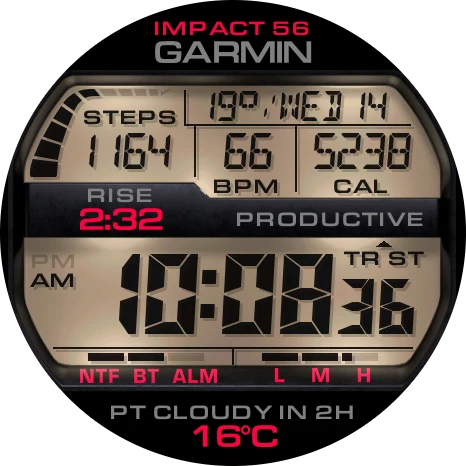
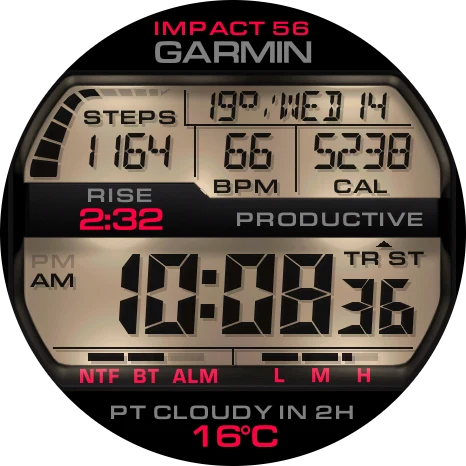
Light shows dark ink on a lit LCD panel; Dark shows lit segments on black. Options: Light (default), Dark.
Watch: Settings › Appearance › Display mode, Backlight, Display shadow, Frame · Phone: Connect IQ app › Appearance
Light1 / 2
On1 / 2
Plastic1 / 18
Unlit segments stay faintly visible in both modes, as on a real LCD. With a very dark Display color in Light mode the content switches to a light tone so it stays readable.
Backlight sets the LCD panel in Light mode: Dim and Bright are shaded panels, Flat is one flat color. Options: Dim (default), Bright, Flat; MIP watches start on Flat.
Display shadow (default On) adds a soft shadow under the ink in Light mode, on watches that support it.
Frame offers 18 materials (default Tool steel). Frame tint color colors only the MIP Flat frame, because the materials have their own color.
Colors
Six color roles: Frame tint, Display, Accent, Text, Frame text and Frame accent, each from the palette below or two custom HEX colors.
Watch: Settings › Appearance · Phone: Connect IQ app › Appearance
AMOLED · 65 colors
- White
#FFFFFF - Silver
#C9CDCF - Cool Gray
#AEB8BD - Light Gray
#999999 - Gray
#808080 - Steel Gray
#55606A - Slate
#2F3A45 - Charcoal
#171B1C - Black
#000000 - Crimson
#FF0040 - Coral Red
#FF4040 - Brick Red
#C42A20 - Maroon
#6B120C - Oxblood
#260605 - Rose Gold
#E8A598 - Vermilion
#FF4000 - Tangerine
#FF6B1A - Orange
#FF8000 - Burnt Orange
#D9731A - Rust
#AA5500 - Chestnut
#7A3B08 - Espresso
#3B2A20 - Dark Chocolate
#2B1403 - Marigold
#FFA526 - Amber
#FFB000 - Sand
#E5D0B2 - Parchment
#CFC9AF - Lemon
#FFFF55 - Yellow
#FFFF00 - Citron
#E5FF00 - Olive
#808000 - Pistachio
#B4E25A - Lime
#80FF00 - Leaf Green
#7FAF36 - Moss
#3D5E1E - Dark Moss
#16240C - Green
#00FF00 - Forest Green
#006400 - Spring Green
#00FF80 - Mint
#00FFD1 - Seafoam
#7FE0C8 - Cyan
#00FFFF - Teal
#008080 - Petrol
#0E4D64 - Sky Blue
#8FDBFF - Azure
#00BFFF - Cornflower
#4FA3DB - Denim
#1D5580 - Ink Blue
#0A2033 - Blue
#4080FF - Royal Blue
#1F51FF - Cobalt
#0000AA - Navy
#000066 - Midnight
#0B0F2E - Lavender
#C8B6FF - Indigo
#6040FF - Deep Indigo
#2D2673 - Violet
#8000FF - Aubergine
#2A0E4A - Orchid
#FF55FF - Magenta
#FF00FF - Plum
#3D1E3A - Pink
#FF40C0 - Hot Pink
#FF2E97 - Wine
#6B1045
MIP · 64 colors
- White
#FFFFFF - Silver
#AAAAAA - Steel Gray
#555555 - Black
#000000 - Rose Gold
#FFAAAA - Coral Red
#FF5555 - Crimson
#FF0055 - Brick Red
#FF0000 - Rosewood
#AA5555 - Red
#AA0000 - Maroon
#550000 - Apricot
#FFAA55 - Orange
#FFAA00 - Vermilion
#FF5500 - Rust
#AA5500 - Sand
#FFFFAA - Lemon
#FFFF55 - Yellow
#FFFF00 - Khaki
#AAAA55 - Olive
#AAAA00 - Chestnut
#555500 - Pistachio
#AAFF55 - Lime
#AAFF00 - Chartreuse
#55FF00 - Grass Green
#55AA00 - Celadon
#AAFFAA - Light Green
#55FF55 - Green
#00FF00 - Leaf Green
#55AA55 - Kelly Green
#00AA00 - Dark Moss
#005500 - Seafoam
#55FFAA - Spring Green
#00FFAA - Malachite
#00FF55 - Jade
#00AA55 - Sky Blue
#AAFFFF - Aqua
#55FFFF - Cyan
#00FFFF - Cadet Blue
#55AAAA - Teal
#00AAAA - Petrol
#005555 - Cornflower
#55AAFF - Azure
#00AAFF - Royal Blue
#0055FF - Denim
#0055AA - Lavender
#AAAAFF - Indigo
#5555FF - Slate Blue
#5555AA - Electric Blue
#0000FF - Cobalt
#0000AA - Ink Blue
#000055 - Amethyst
#AA55FF - Violet
#AA00FF - Ultramarine
#5500FF - Royal Purple
#5500AA - Lilac
#FFAAFF - Orchid
#FF55FF - Magenta
#FF00FF - Mauve
#AA55AA - Purple
#AA00AA - Aubergine
#550055 - Pink
#FF55AA - Fuchsia
#FF00AA - Raspberry
#AA0055
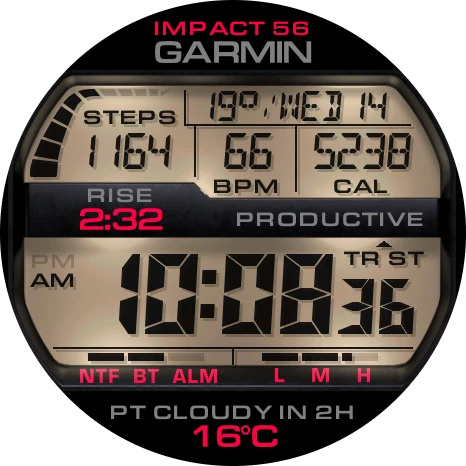
Classic LCD1 / 2
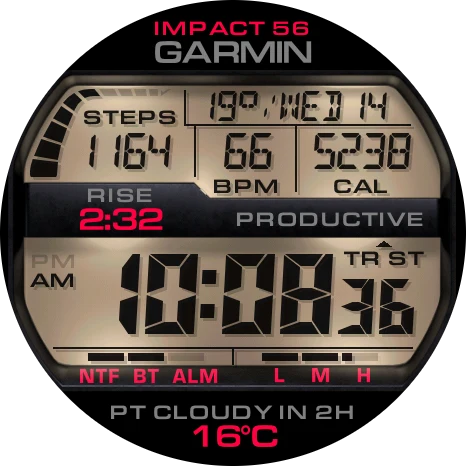
Display colors the LCD panel (Light) or the segments (Dark). Accent colors the values in Top and Bottom; Text colors their labels. Frame text and Frame accent color everything printed on the frame: the middle fields and the NTF, BT, ALM, L, M, H captions.
Custom HEX Color 1 and 2 (defaults 00FF80, FF8000) are typed in the Connect IQ app or the web configurator and then picked as Custom 1 or Custom 2 for any role. MIP watches show the nearest panel color.
Data fields
Eight positions: Top, Progress bar, Top left, Top center, Top right, Middle left, Middle right and Bottom, filled from 100 metrics or an external complication.
Watch: Settings › Data fields · Phone: Connect IQ app › Data fields
Default1 / 7
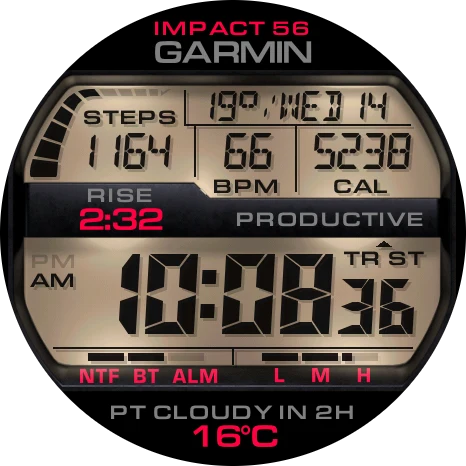
Default1 / 2
On1 / 2
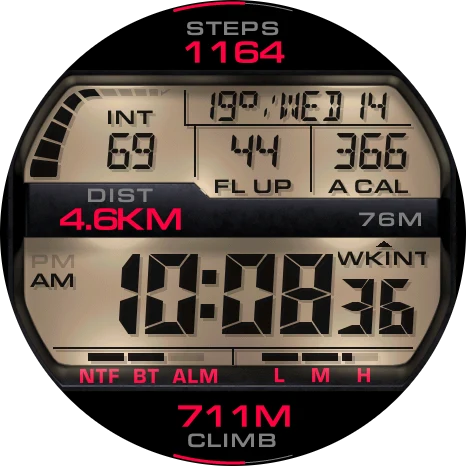
DIST 4.6KM and 711M CLIMB.
Top left, Top center and Top right take short numeric metrics shown in LCD digits. Top, Middle left and Bottom also offer ; Top, Middle left, Middle right and Bottom offer an . The Progress bar takes metrics with a goal or range. None leaves a position empty.
Custom text 1 and 2 (defaults HELLO and IMPACT 56) are typed in the Connect IQ app or the web configurator, up to 16 characters each. In Top and Bottom the narrower text sits nearer the edge.
Show units (default On) shows or hides the unit after values that have one: distance (KM), elevation and altitude (M), temperature, wind, pressure, minutes, hours, days and percentages, in Top, Middle left, Middle right and Bottom. Counts such as steps, heart rate or calories have no unit, and the LCD digits never show one.
Text font System draws Custom text and Training Status in the watch font when it fits.
Units follow the watch settings; Wind unit in Weather changes wind speed only.
All data fields
Activity
- Steps
- Steps To Goal
- Step Goal Progress
- Steps (Week)
- Steps (7d)
- Steps (7d avg)
- Calories
- Active Calories
- Active Cal. %
- Calories (Week)
- Calories (7d)
- Calories (7d avg)
- Distance
- Distance (Week)
- Distance (7d)
- Distance (7d avg)
- Floors Ascended
- Floors Descended
- Floors (Week)
- Floors (7d)
- Floors (7d avg)
- Meters Climbed
- Elevation Gain (Yesterday)
- Elevation Gain (Week)
- Elevation Gain (7d)
- Elevation Gain (7d avg)
- Meters Descended
- Elevation Loss (Yesterday)
- Elevation Loss (Week)
- Elevation Loss (7d)
- Elevation Loss (7d avg)
- Intensity Minutes (Day)
- Intensity Minutes (Week)
- Intensity Minutes (7d)
- Intensity Minutes (7d avg)
- Moderate Minutes (Day)
- Moderate Minutes (Week)
- Moderate Minutes (7d)
- Vigorous Minutes (Day)
- Vigorous Minutes (Week)
- Vigorous Minutes (7d)
- Move Bar
Health
- Heart Rate
- Resting HR
- Body Battery
- Stress
- Blood Oxygen
- Respiration
- Sleep Score
Calendar & time
- Month
- Date
- Day
- Week of the Year
- Year
- Day of the Year
- Calendar
- Time
- Seconds
- Alt Time Zone 1
- Alt Time Zone 2
- Sunrise / Sunset
- Dawn / Dusk
- Remaining Sun / Dark
Training & sport
- Recovery Time
- VO2 Max (Run)
- VO2 Max (Bike)
- Training Status
- Week Run Distance
- Week Run Time
- Run Time (7d)
- Run Time (7d avg)
- Week Bike Distance
- Week Bike Time
- Bike Time (7d)
- Bike Time (7d avg)
- Last Round
Weather
- Weather
- Upcoming Weather
- Smart Weather
- Forecast Weather +1 Day
- Forecast Weather +2 Days
- Forecast Weather +3 Days
- Feels Like
- Temperature Min/Max
- Precip Chance
- Humidity
- Wind
- UV
- Pressure
- Barometric Trend
- Cloud Cover
- Visibility
- Dew Point
System
- Battery Level In Percent
- Battery Level In Days
- Notifications
- Alarm Count
- Altitude
- Solar Input
- Custom text
- External complication
Date field
Chooses what the date area under the top line shows: Date (default, in the Date format) or one of 18 metrics as LABEL: value.
Watch: Settings › Date and time › Date field · Phone: Connect IQ app › Data fields › ★ Date field
Metrics: steps (STP), distance (DST), calories (CAL), heart rate (HR), resting heart rate (RHR), stress (STR), recovery time (REC), altitude (ALT), temperature (NOW), feels like (FL), today’s high/low (HL), tomorrow’s forecast (FR: 17/12°), wind (WND), pressure (1013 HPA), UV index (UV), dew point (DEW), the next sunrise or sunset (RISE: 6:45, SET: 18:40) and the week number (W45).
Show units adds the unit; a text too wide for the area drops its label. Percent metrics are not offered.
Always-on Full shows the chosen metric; Minimal always shows the date. Touch and hold the date area to open the metric’s Garmin view.
Progress bar and arcs
The curved bar beside the date fills in ten segments toward a goal; thin arcs at 12 and 6 o’clock do the same for Top and Bottom.
Watch: Settings › Data fields › Progress bar, Top, Bottom · Phone: Connect IQ app › Data fields, Goals
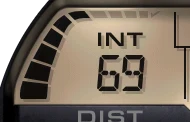
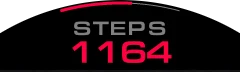
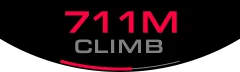
Each segment is a tenth of the goal or range; the checkmark lights when the goal is reached. With Seconds, a segment lights every six seconds.
An appears when Top or Bottom shows a metric with a goal or range. The Goals settings set the targets Garmin does not provide.
Status indicators
The row under the clock shows , , and the battery bar.
Always shown; no setting

A lit segment above NTF means unread notifications, above BT a phone connection, above ALM an alarm set. A faint segment means off.
The battery bar runs across L, M and H: a full bar is a full battery, 50% fills L and half of M. Hold the battery bar to open the battery view.
The indicators refresh once a minute and whenever the watch wakes.
Page 2 and Page 3
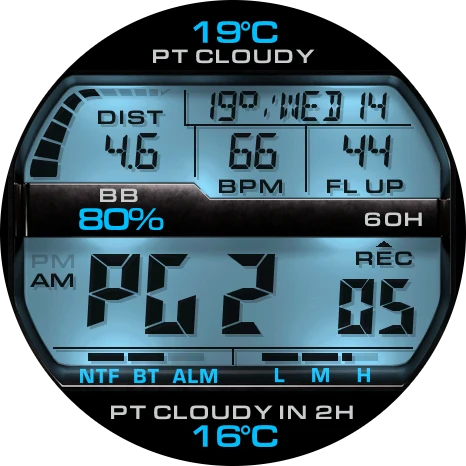
Touch and hold the hours for Page 2 or the minutes for Page 3: six fields switch to other metrics and the face returns by itself.
Watch: Settings › Pages · Phone: Connect IQ app › Pages
Hold the hours: Page 2. Hold the minutes: Page 3.
Main1 / 3
The main page.
While a is shown the clock reads PG 2 or PG 3 and the seconds count down to the main page. Hold the same half again to return at once.
Each page has its own Top, Progress bar, Top left, Top right, Middle left and Middle right. Same as main page keeps the main metric there.
Page display time: 2 to 10 s (default 5 s). Pages need a touchscreen and Touch shortcuts on.
Touch shortcuts
Touch and hold a field to open the Garmin view behind it. Options: On (default), Off.
Watch: Settings › Data fields › Touch shortcuts · Phone: Connect IQ app › Data fields
A field opens its metric’s Garmin app or glance; an external complication opens the app that publishes it. The date opens the calendar, the temperature in front of the date the weather, the L M H battery bar the battery view.
A short tap does nothing. None, Custom text and metrics without a Garmin view do nothing either.
Date and time
Twenty date formats, eight of them with the current temperature in front (default 23°/WED 5).
Watch: Settings › Date and time · Phone: Connect IQ app › Date and time
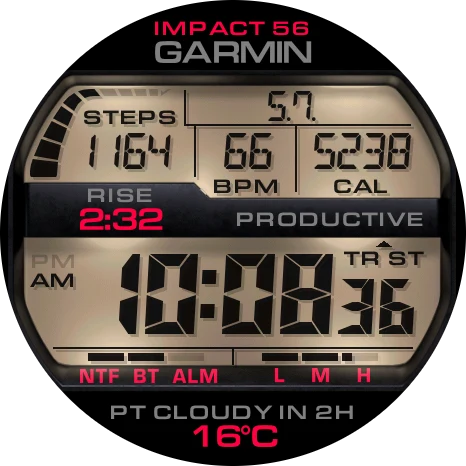
5.7.1 / 20
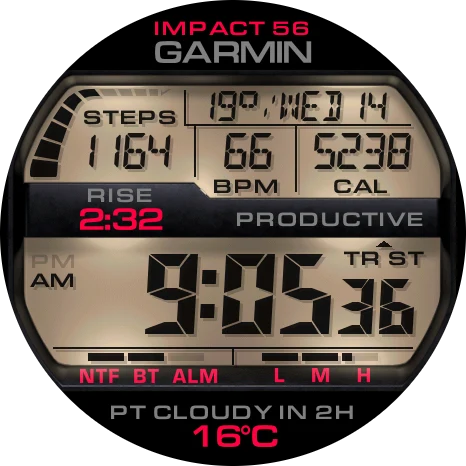
9:051 / 4
Main time format: 9:05 (default), 09:05, Military. Data time format sets times inside fields. Hide AM/PM removes the AM and PM marks.
Alternate timezone 1 and 2 feed the Alt Time Zone metrics; their labels (up to 5 characters) are set in the Connect IQ app.
Always-On Seconds (MIP, default Off for battery life) keeps seconds ticking in low power.
Date in Top, Middle left, Middle right or Bottom shows the weekday in place of its label: THU over 5.7.; THU 5 NOV shows NOV over THU 5. The temperature formats show no temperature there.
Date field chooses what the date area shows; see Date field under Data fields.
Weather and goals
Weather settings tune Smart and Upcoming weather; Goals set targets for metrics Garmin has no goal for.
Watch: Settings › Weather, Goals · Phone: Connect IQ app › Weather, Goals
shows the next notable change; looks ahead within the Forecast range.
Current values older than 3 hours show --, usually because the phone has been away. Forecasts, sunrise and sunset keep working.
- Forecast range
- 1 h, 3 h (default), 6 h
- Minimum precipitation chance
- 30%, 40%, 50% (default), 60%
- Upcoming weather fallback
- Forecast end (default), Tomorrow, Current weather
- Wind unit
- Auto (default), km/h, m/s, mph, kn
- Pressure unit
- hPa (default), mbar, mmHg, inHg; also sets the barometric trend and the pressure-drop line
- Smart: Weather changes, High UV, Strong wind, Pressure drop, Extreme temperature
- On or Off; Weather changes and Extreme temperature are on by default
- Goals
- Total and active calories, distance, intensity minutes, floors down, meters up and down, weekly run and bike distance and time
Always-on display
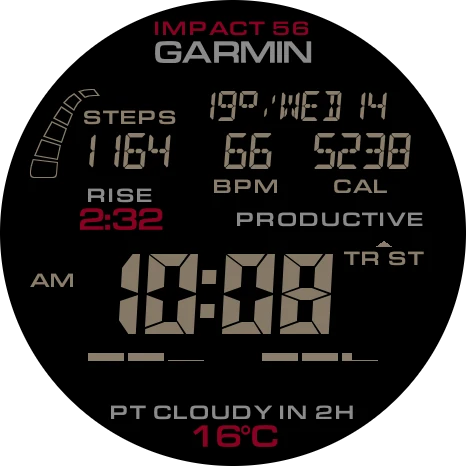
AMOLED watches show the LCD time on black: Full keeps the whole face dimmed, Minimal only the time and date.
Watch: Settings › Always-On Display · Phone: Connect IQ app › Always-On Display
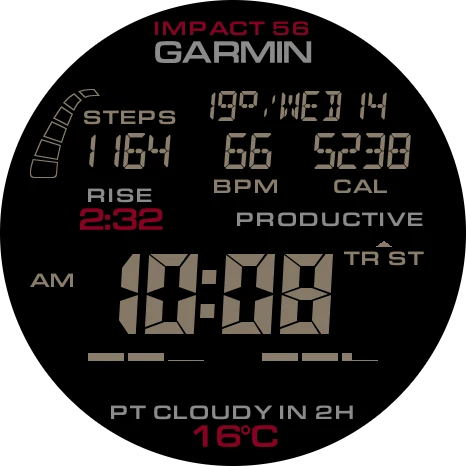
Full1 / 3
Full, Filled1 / 4
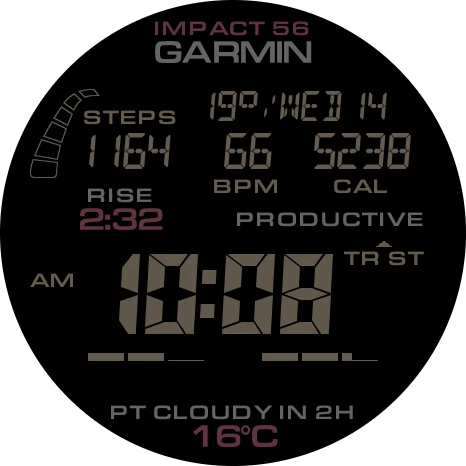
Low1 / 3
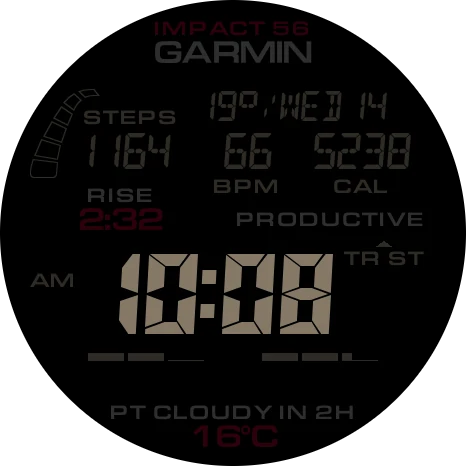
20%1 / 5
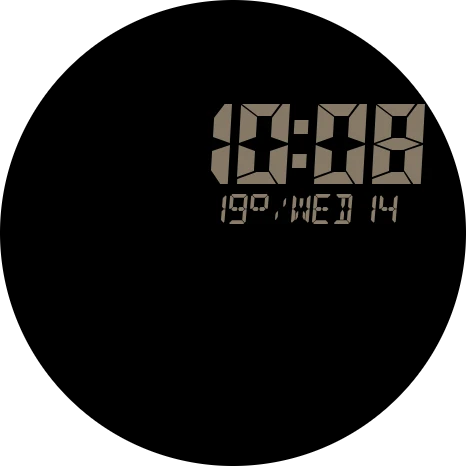
Minute 11 / 9
Mode: Full (default), Minimal. The picture moves once a minute through nine positions to protect the screen; there are no seconds.
AOD clock: Filled (default) shows solid digits, Outlined only their outline. Filled digits are dimmer, so both light the screen about the same. The appearance wizard on the watch asks for it in its own step and shows the always-on picture there.
Colored AOD (default On) keeps the scheme colors; Off uses gray. Day and Night brightness (Low, Medium, High; both Low by default) and the Day/night brightness schedule set the clock brightness; Data brightness (15–100 %, default 60 %) sets everything else.
MIP watches keep the whole face in low power instead; see .
MIP watches
On MIP watches the frame and the LCD panel each have a flat and a rendered look.
Watch: Settings › Appearance › Frame, Backlight · Phone: Connect IQ app › Appearance
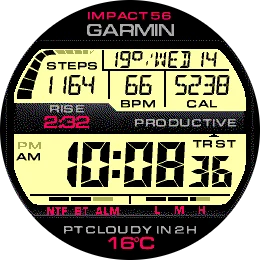
Tool steel1 / 2
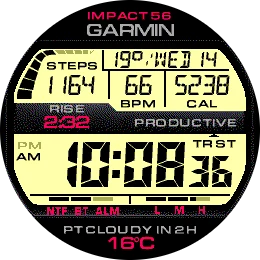
Flat1 / 3
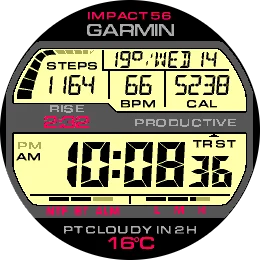
Steel Gray · Classic LCD1 / 6
Example: Flat frame tinted Steel Gray, flat display.
Frame lists Flat first, drawn in the Frame tint color; the 18 materials are dithered renders. Backlight: Dim, Bright or Flat (default on MIP). Dark display mode draws no panel, so Backlight has no effect there.
Frame, Frame tint color, Backlight, Display mode and the six colors combine freely; the Flat frame examples below are only a few of the possible looks.
The palette has 64 panel colors. Low power keeps the complete face, updated once a minute; Always-On Seconds keeps the seconds.
System and watch settings
System › Reset to defaults restores every setting after a No/Yes question; Refresh data reads all values again.
Watch: Settings › System, User Guide, Refresh data · Phone: Connect IQ app › System
User Guide in the watch settings shows a QR code to this page.
The watch settings follow the phone groups in the same order. Up and Down move, Start selects, Back returns; on touch watches tap a row to center it and tap again to open it.
Questions
I entered the web code. Why hasn’t the watch changed yet?
The watch downloads the setup in the background within 5 minutes and needs the phone connected. A code is valid for 24 hours; the Web configurator row in the watch settings shows the last result.
Why does a field show --?
The watch has no value yet: a page metric is read when the page opens, weather older than 3 hours is hidden, and an external complication needs an app that publishes one. Some metrics exist only on some watches.
How do I show Page 2 or Page 3?
Touch and hold the hours for Page 2 or the minutes for Page 3; the seconds count down to the main page. Touch shortcuts must be on and the watch needs a touchscreen.
Why did choosing a color scheme change my frame and colors?
A scheme sets the display mode, the frame and all six colors at once. Pick the scheme first, then adjust single colors.
Why are there no seconds in always-on mode?
AMOLED watches never show seconds in always-on mode. On MIP watches turn on Always-On Seconds; the watch can stop them to save power.
How do I change HELLO and IMPACT 56 at the top?
Top shows Custom text by default. Type Custom text 1 and 2 in the Connect IQ app or the web configurator, up to 16 characters each, or pick another metric for Top.
Why does my MIP watch look different from the pictures?
MIP screens show 64 colors, so frames are dithered and Backlight can be Dim, Bright or Flat. Switch the scheme viewer above to MIP to see your watch’s look.
Where do I pick an external complication?
Only on the watch: Settings › Data fields › field › External complication. The phone and the web can only select External complication for the field.
Is there a free trial?
Yes. When the Impact 56 Trial ends, its QR code opens tikks.io/qr/impact56/, which leads to the full version.
Changelog1.3.0
1.3.0
- Added the Weight metric: your profile weight in kilograms or pounds, following the watch's weight unit
- Weekly and daily values kept through a short data gap now follow the calendar, also across time-zone and daylight-saving changes
- Improved stability on MIP watches
- Improved memory use
1.2.0
- Added the Date field setting: the date area can show the date or one of 18 other values, such as steps, heart rate, altitude or the week number
- The date reads more clearly, and two-row date fields show the weekday
- Sunrise and sunset fields show the next sunrise after sunset even without a recent GPS fix
- Dates with a temperature are no longer cut off on larger watches
- Lower memory use and smoother settings
1.1.6
- Improved the web configurator: entering the same code again applies that configuration again
1.1.5
- Added the Hide seconds setting: the seconds can now be hidden on the watch face
- Improved Always-On Seconds on MIP watches: the seconds update more efficiently, and when the watch pauses the per-second update they are hidden instead of standing still
- The Middle right label is no longer cut off, and a few label abbreviations are shorter so every label fits in all languages
- MIP watches: the phone settings no longer show always-on display options that do not apply
1.1.4
- Improved settings after an update: all your stored settings stay applied even when the update adds a new setting
- Longer battery life in always-on mode
- Body Battery, stress, Pulse Ox and other values no longer flash dashes when the watch briefly reports no value
- Improved the pressure trend: it now works with any pressure sampling interval of the watch
- Pressure in inHg shows two decimals everywhere
- For longer battery life, Day and Night brightness in always-on mode now default to Low and Always-On Seconds is off by default on MIP watches; your current settings stay as they are
- Improved the weekly run and ride totals after time-zone changes and with incomplete activities
- Battery days are rounded like the system battery widget
- The Version row in the phone settings shows the installed version
1.1.3
- Improved the web configurator: a code is applied once, so the settings you change later on the phone stay as you set them
1.1.2
- Added the Pressure unit setting: hPa (default), mbar, mmHg or inHg for the pressure, its trend and the pressure drop alert
1.1.1
- Added the Backlight setting: Dim, Bright or Flat LCD panel. Dim brings back the original darker panel and is the default on AMOLED watches
- Improved the always-on display: the Minimal clock and the screen after waking are always drawn completely
1.1.0
- Added the AOD clock setting: filled or outlined digits in always-on mode, filled by default
- Brighter LCD panel in the light display
- Improved the light display on fēnix 9 Pro watches
- The light display stays readable when the watch is short of graphics memory
- Reduced graphics memory use
- Lowered the default always-on data brightness to 60 %
- Dark mode stays readable when you set a very dark display color
1.0.0
- First release of Impact 56 PRO
- Classic digital LCD look inspired by the G-Shock GX-56 with 18 frames, color presets and light or dark display
- Customizable data fields, a progress bar and two extra data pages opened by holding the hours or minutes
- Set up the whole face with a live preview in the web configurator at tikks.io
- Always-on display modes and on-watch settings with a visual setup guide
- Supports AMOLED and MIP watches, including MARQ (Gen 3)